Skip to content
Founding offer: join before 31 March 2027 and every shop is $79 a month, for as long as you stay

Hair & beauty salons, day spas

Salon software and a POS, with online booking in one app

Clients book themselves from a link. Your team sees the day with its gaps, sells the cut, the colour or the facial and the products that go home on one ticket, and knows who’s working Saturday.

Free during early access · no card neededUpdated

A therapist brushes a cream mask onto a relaxed client’s face in a bright treatment room.
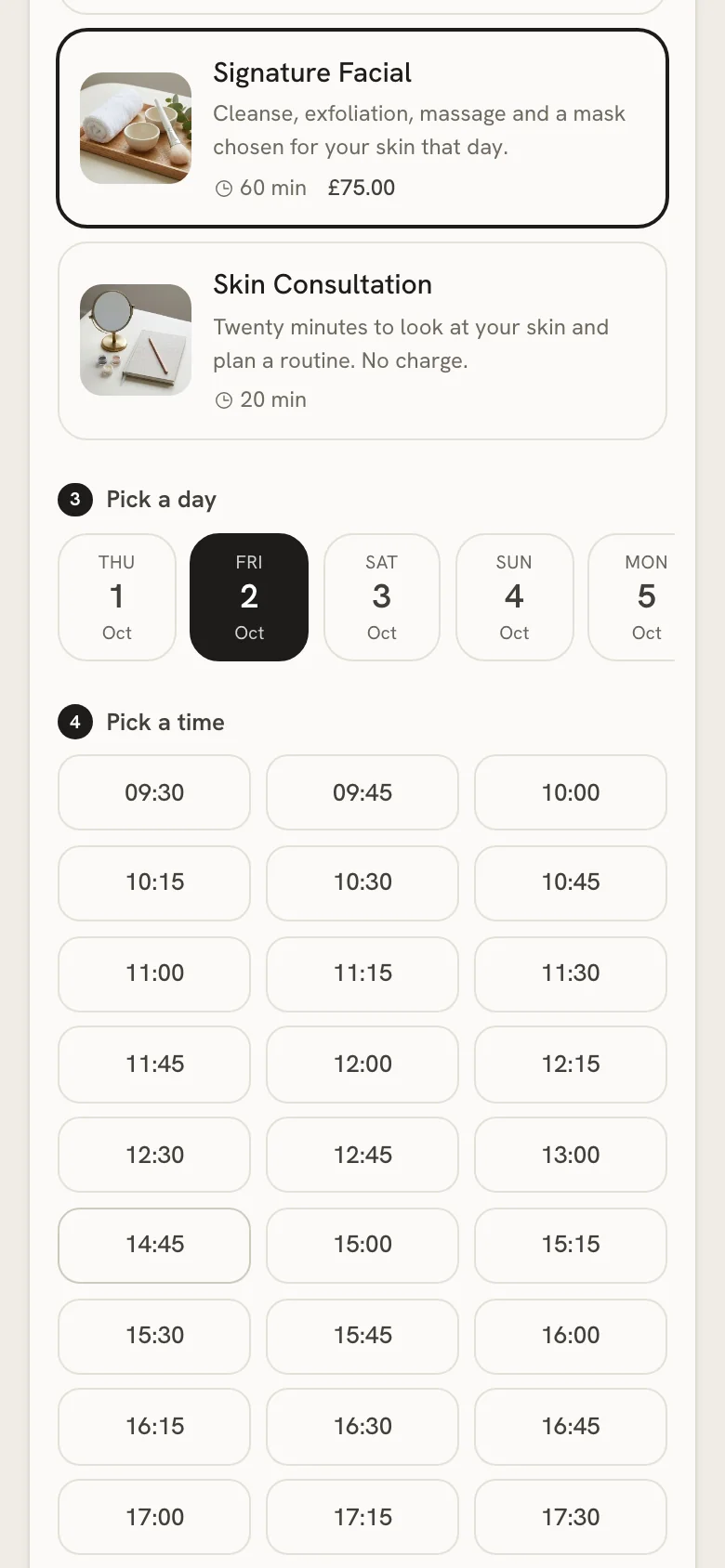
A shop’s online booking page on a phone, showing free times for a treatment.

The treatment diary

The day comes first, gaps included

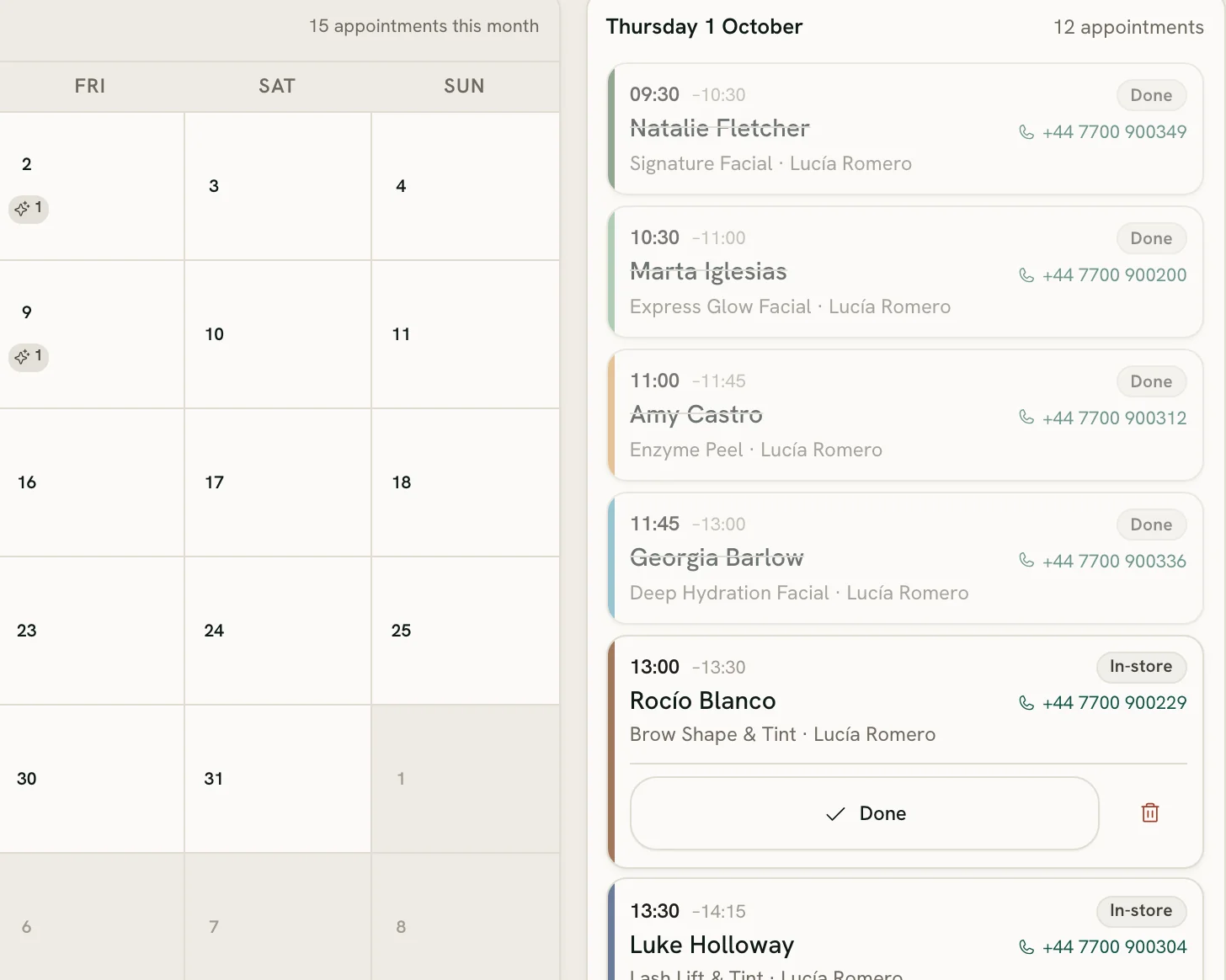
Open the diary and today is already there: every appointment in order, and every free gap drawn in with its length.

The treatment diary: today’s appointments, each with its treatment, therapist and time.
A real Zero POS screen, from an invented demo shop.
  • Tap a gap to book

    The form opens at that time, and the treatment’s length decides how much of the day it takes.

  • Chairs, rooms and who does what

    Say how many treatments can run side by side, chairs or rooms, and name the stylist or therapist doing each appointment. Nobody is booked for two at once.

  • One shop, or all of them

    Work in one shop’s diary, or see every shop’s bookings together.

  • Online or in-store

    Bookings customers make themselves are marked Online, yours In-store. On a phone, the same diary reads as a list.

Online booking

A link customers book themselves from

Share one link: in your Instagram bio, in a WhatsApp reply, or as a QR code printed at the foot of your receipts.

What your customer does

  1. Chooses the shop, if you have more than one, and the treatment.

  2. Picks a day and one of the times that are really free, checked against your opening hours, your rooms and the diary.

  3. Leaves a name and a phone number, and an email for the confirmation.

  4. Gets a confirmation email with a link to see or cancel the booking. No account, no password.

What you decide

  • The shortest notice anyone can book with, and how far ahead they can see.
  • Whether prices show, and the welcome line at the top of the page.
  • Which of your shops take bookings. Each new one arrives as a notification.
  • Reminders by email or text — the day before, two hours before or both — with a link to stop them in every message. Texts go from your own Twilio account.

At the counter

Salon software that sells the products too

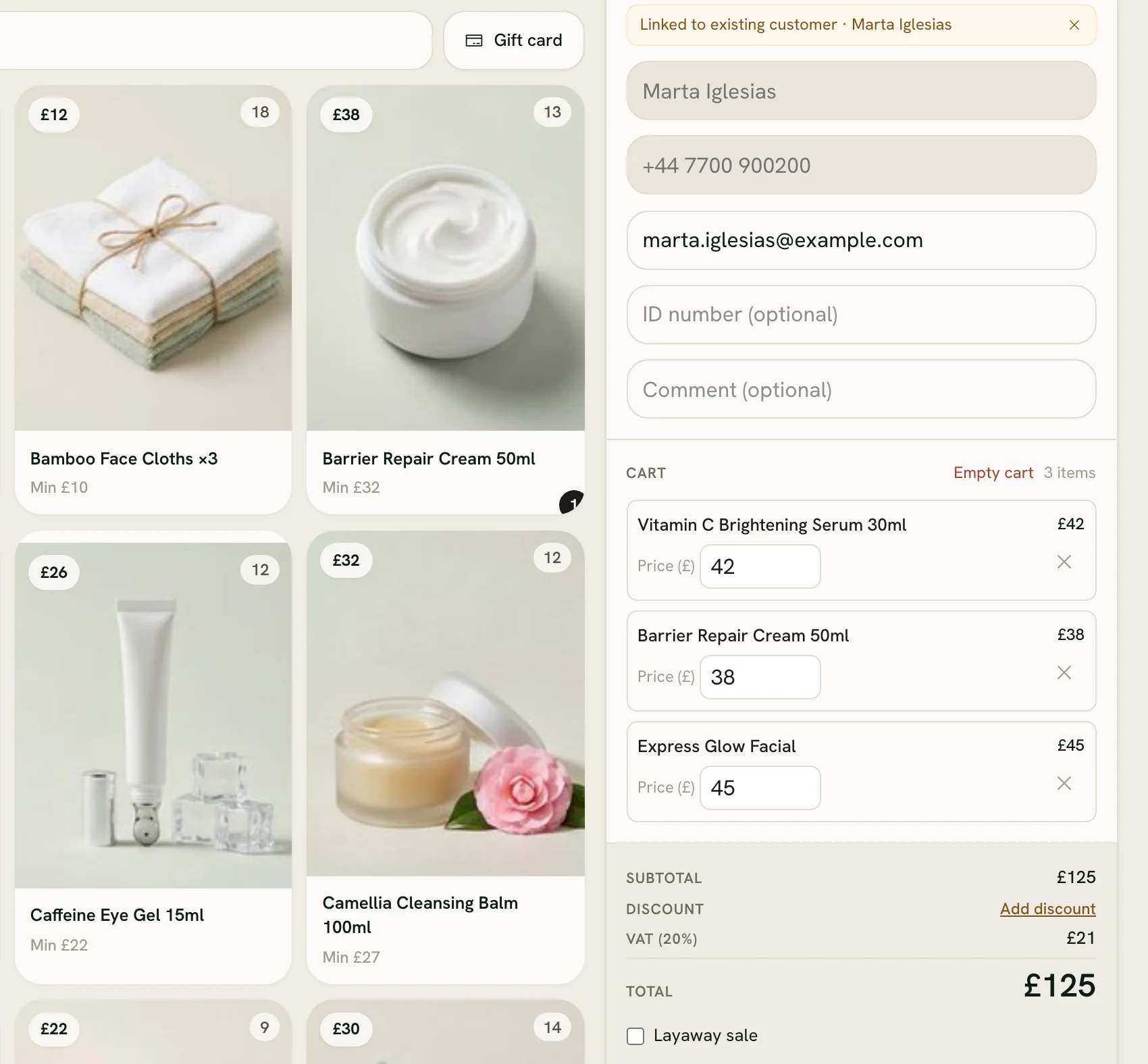
The till sits beside the diary. Its sale screen shows today’s list — who’s next, for what and for how long — so nobody leaves a sale to check the diary.

The Zero POS till: products with their photos and prices beside a basket of two skincare products and a facial, £125 in total.
A real Zero POS screen, from an invented demo shop.
  • The service and the aftercare, one ticket

    Sell the colour or the facial with the shampoo or cream that goes home, together, and split the payment any way.

  • Retail with real stock

    Products carry live stock for each shop, with transfers, stock-takes and reorders behind them.

  • Commission on both

    Services and retail both count towards each stylist’s or therapist’s commission.

  • Tips, if you want them

    Ask for a tip at checkout, if you want to: your own percentages, one the customer names or any amount. You choose who gets it: whoever made the sale, a split with the team on shift, or everyone on shift, equally or by hours worked. It stays out of your sales, tax and commission.

  • Sales tax the American way

    Type your prices before tax, set your rate once, and the till adds it on top. Receipts, invoices and reports say Sales tax.

Vouchers and gift cards

Two kinds of gift, kept apart

A treatment voucher is a gift you give. A gift card is something a customer buys. The money works differently, so Zero POS keeps them apart.

Given, never sold

Treatment gift voucher

  • Issued from the back office for one treatment, never sold at the till.
  • Worth the whole treatment, an amount or a percentage off, or a set price.
  • Printed with a code that leaves out the letters people misread.
  • Typed in when booking online, it’s held for that booking, and freed again if the booking is cancelled.
  • Checked at the counter without being used up, then marked used once the treatment is done.
Sold at the till

Gift card

  • Sold in the amounts you choose, printed with its own code.
  • Spent bit by bit, on treatments or products.
  • An expiry you set, card by card, or none at all.
  • Counted as a sale the day it’s sold, and earns commission for whoever sold it.

Your team

Who’s in on Saturday, by rules you can read

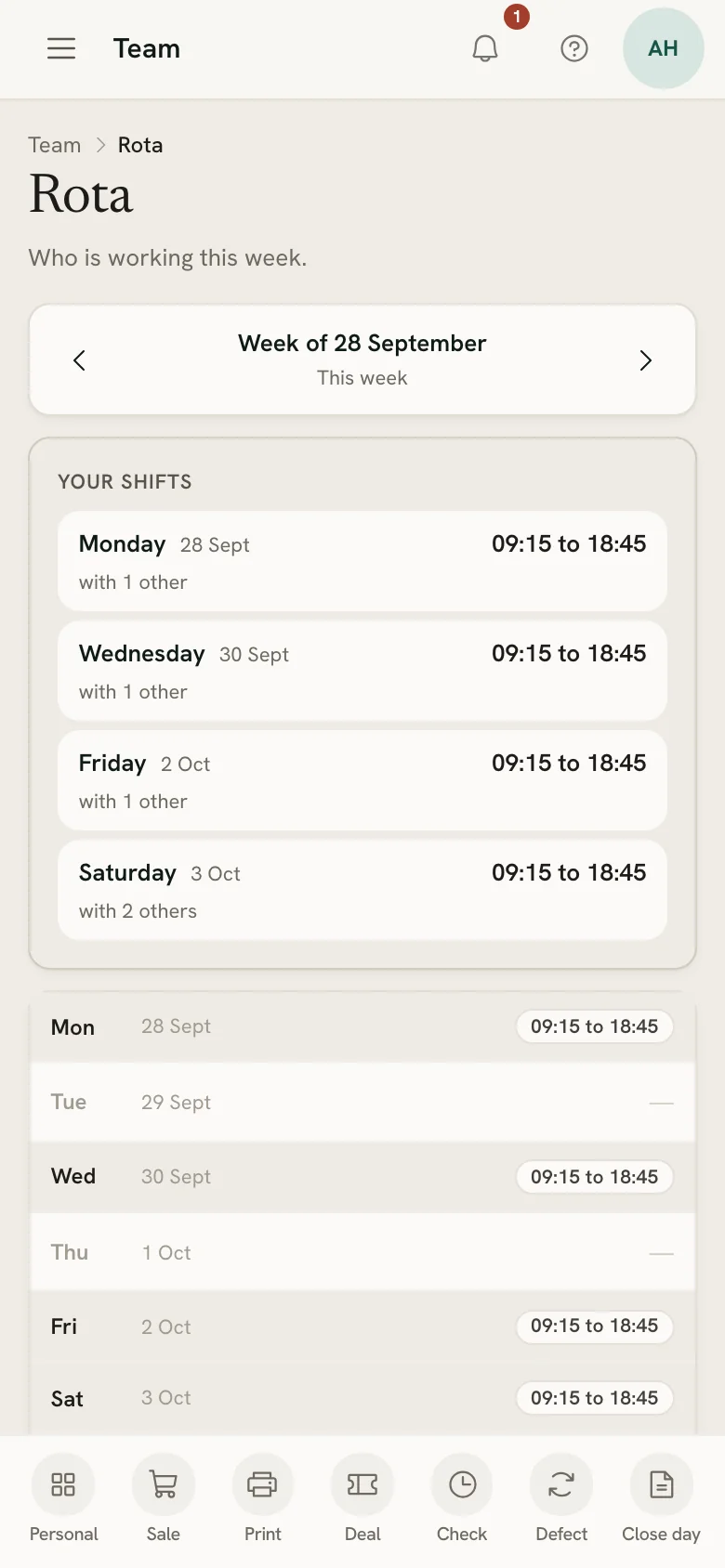
Each person says on their phone what suits them next week. You build the week, or propose a draft, and publish it.

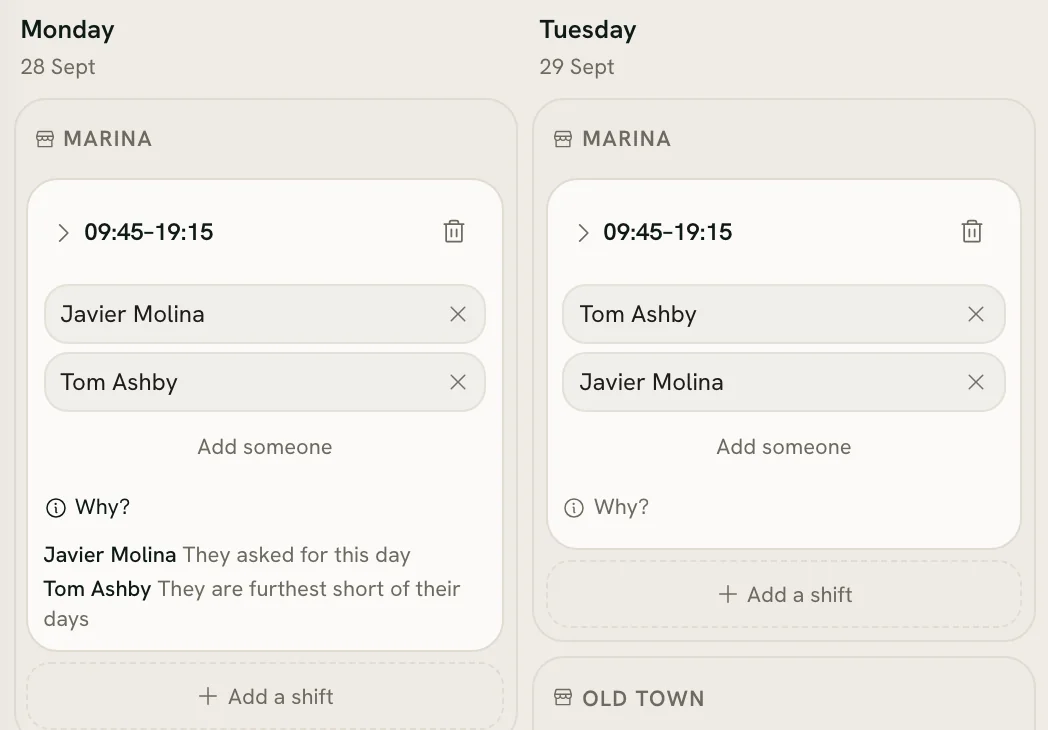
The rota’s draft for two days, with the reason each person was given each shift.
A seller’s shifts for the week in Zero POS, on a phone.
  • A draft that explains itself

    Every shift in a proposed draft says why that person got it: “They asked for this day”, “Nobody else was free”.

  • Time off, counted your way

    Holidays and sick days per person, against the allowance you set. The rota never puts anyone on a day they have booked off.

  • Hours and commission

    Hours from check-in and commission from sales come together in one salary figure. Zero POS works it out; you pay it.

Put your booking link to work

Start a free workspace, switch on treatments and open your booking page. Nothing is charged during early access.

Free during early access · no card needed

Already use Zero POS? Sign in

Selling retail too? See skincare and cosmetics shops