Beauty POS & back office
Sell products and treatments from one till, on the devices you already own.
Zero POS is the beauty POS for skincare and cosmetics shops, and the salon and spa software for treatment rooms: the till, appointments, stock, the staff rota and the accounts — in English and Spanish, with nothing to install.
Free during early access · no card needed · founding rate until 31 Mar 2027
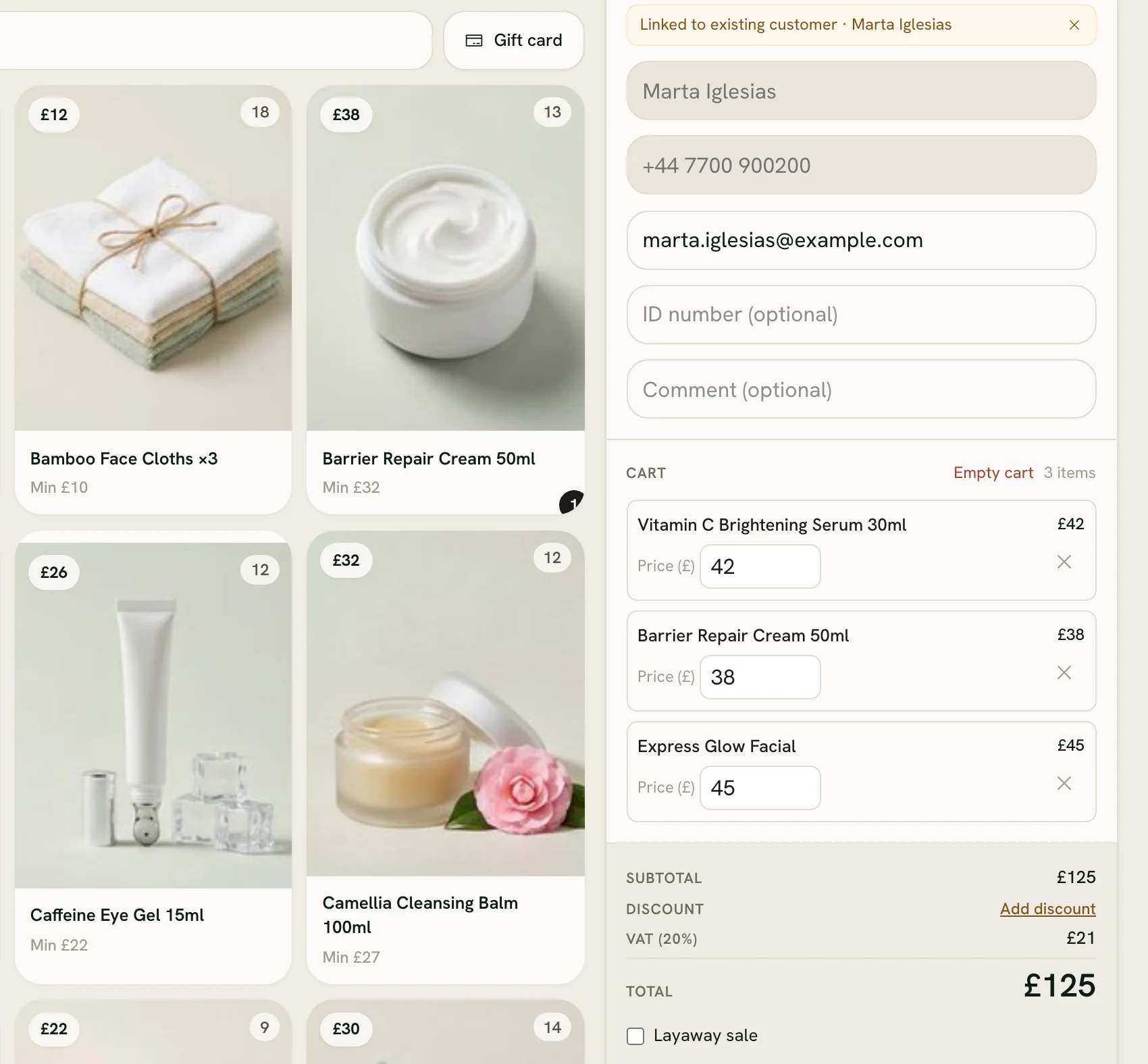
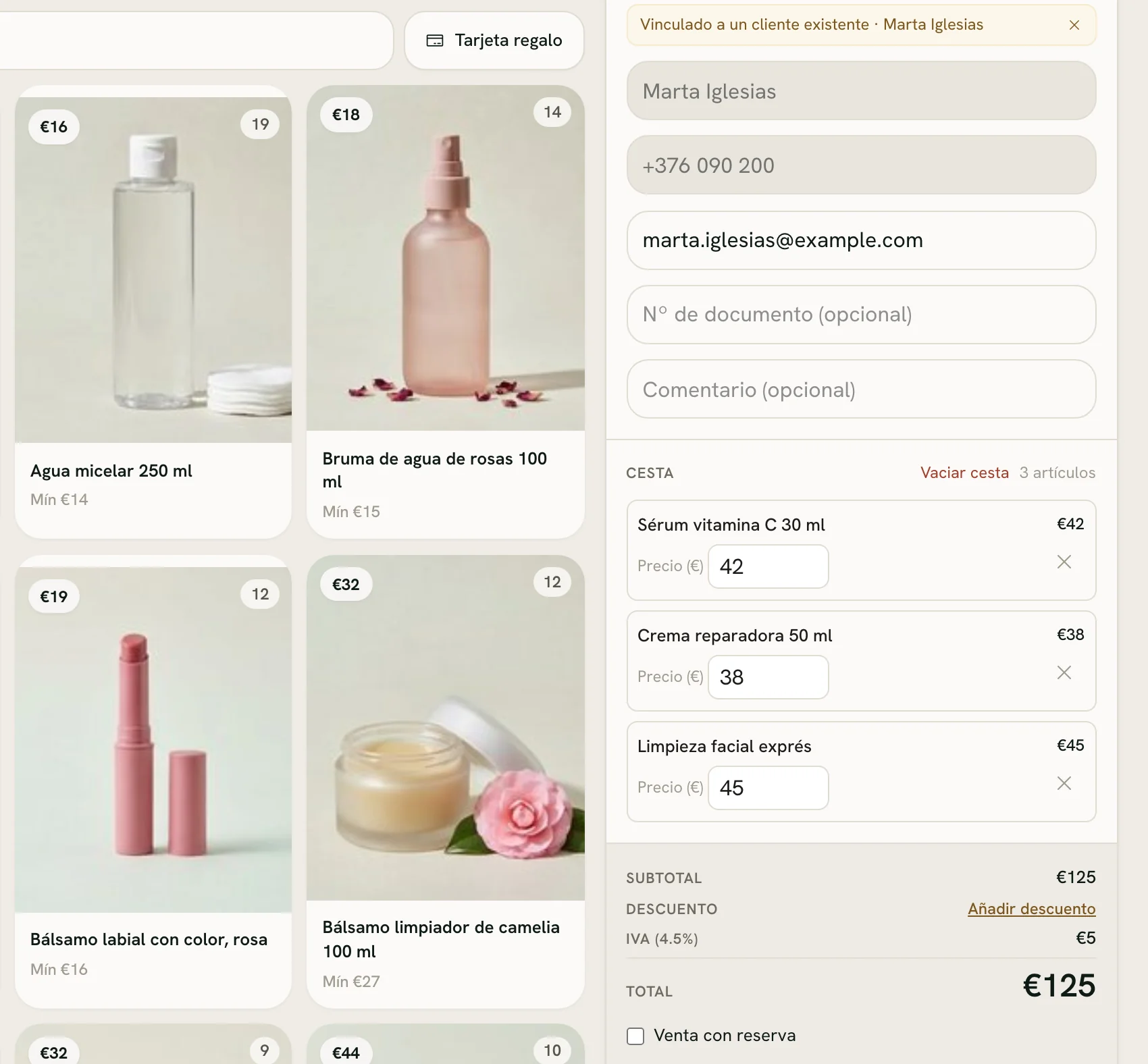
Demo shop · invented data
What’s inside
Everything a beauty business needs
One app from the counter to the back office: every feature in every shop, with no add-ons to buy.
Treatments & online booking
A diary with its free gaps drawn in, and a booking link customers use themselves.
Products & stock across shops
Every shop’s shelf in one list, with transfers, testers and blind stock-takes.
Layaways
A deposit today and the rest later, collected by any seller when the customer comes back.
Gift cards & printed vouchers
Cards sold at the till with their own code, and vouchers printed in a moment.
Customer files
What each customer bought, their treatments, points and store credit — and who’s worth a call.
Commission, targets & payroll
Commission tiers and sales targets for each person, with pay worked out for you.
Rota & check-in
Staff say when they can work, you build the week, and they check in from their phone.
Day close
Count each way of paying against what the till expects, then print the day’s slip.
Reports & accounting
Dashboards by shop, product and seller, simple or full books, and CSV for your accountant.
Offers by email
Offers built from your own products, sent from your shop’s own email account.
English & Spanish
Each person picks the language of their screens; receipts print in the one you choose for your customers.
Sign in once, stay signed in
Nobody retypes a password: staff stay signed in, and a passkey lets them back in with Face ID or Touch ID.
The till
See a sale, step by step
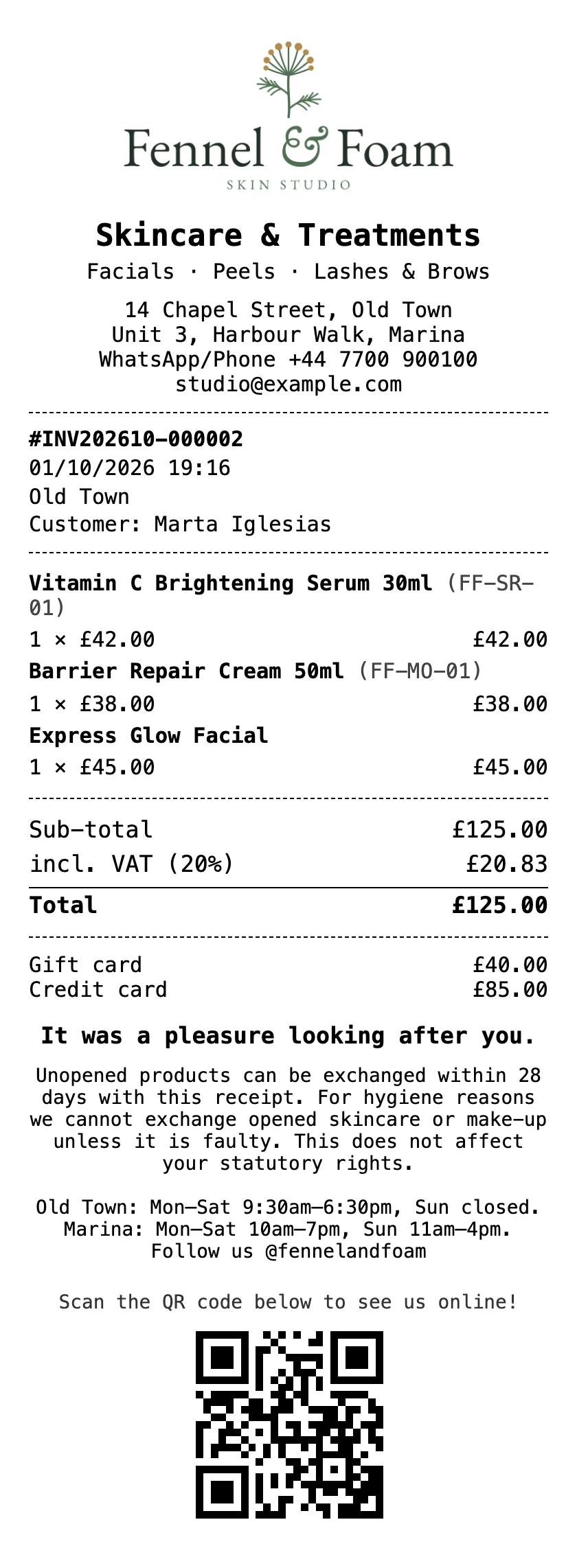
Two skincare products and a facial in one basket, paid two ways. These are real Zero POS screens, from an invented demo shop.
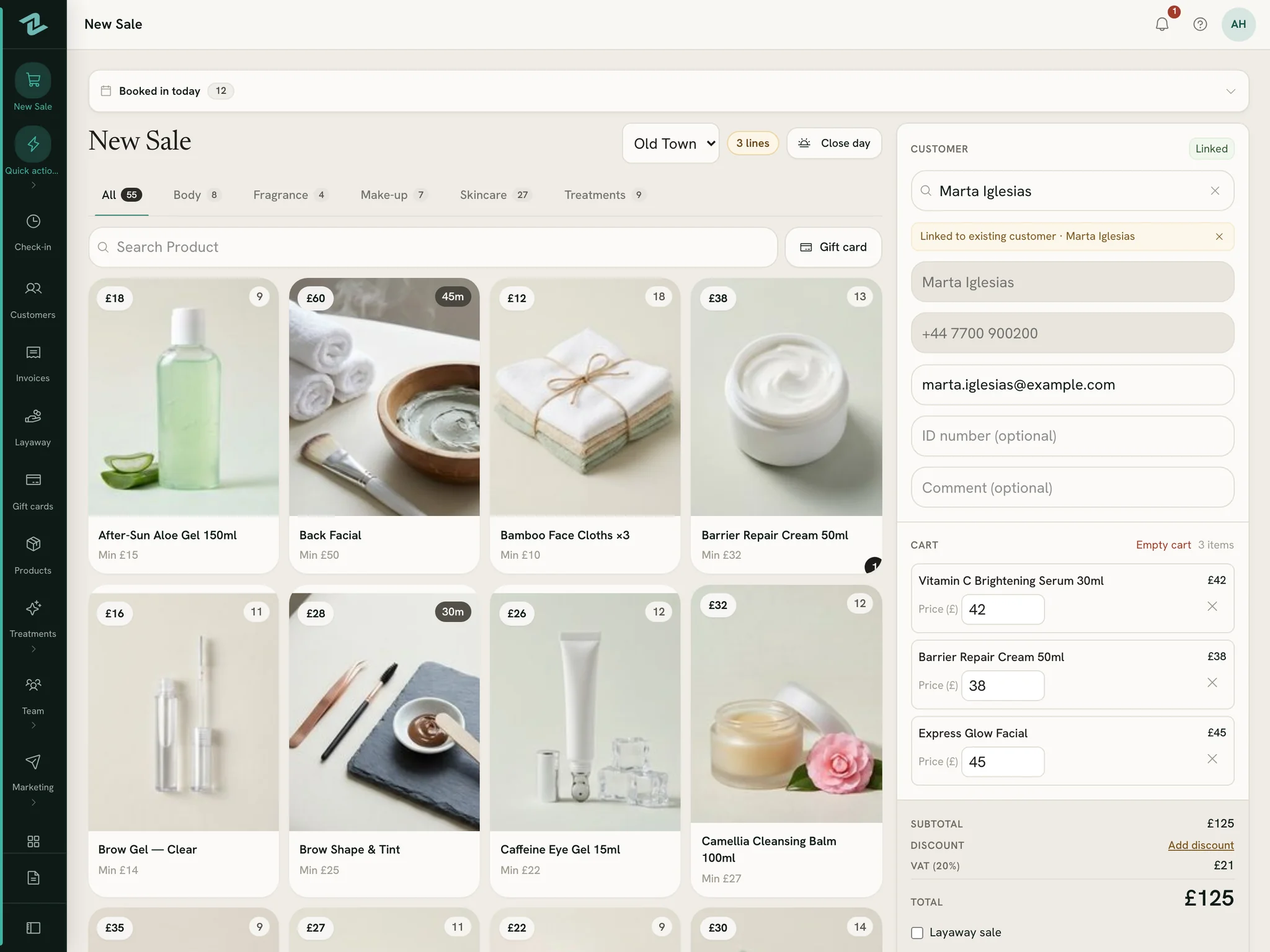
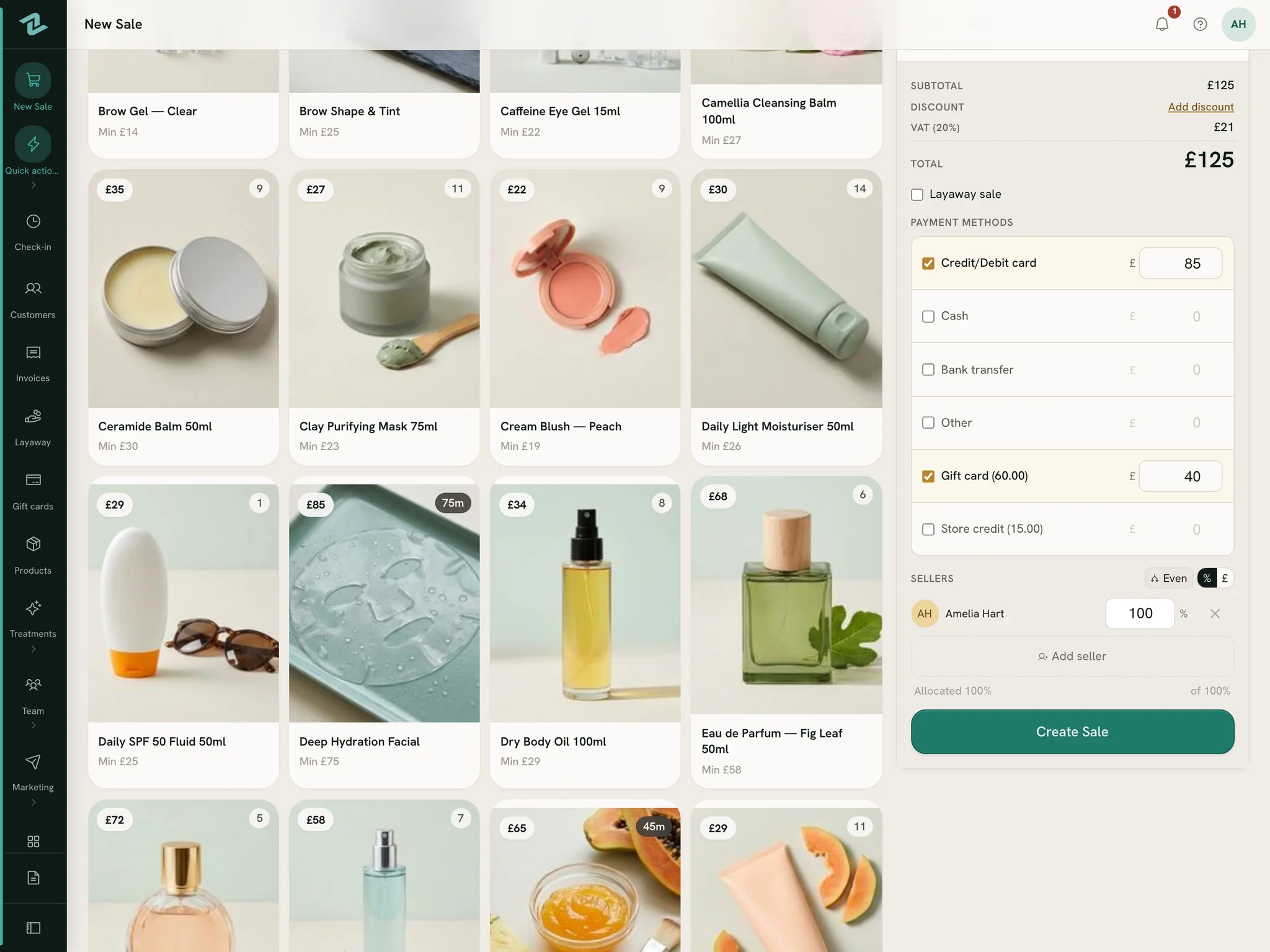
Demo shop · invented data
Demo shop · invented data
Demo shop · invented data
The full guide:Make a sale
Receipts & printing
Printed to look like your shop
Every slip a customer takes home carries your shop, not ours: your logo and name at the top, your own words at the foot.
- Your logo, name and taglineAt the top of every receipt, with your address, phone and website underneath.
- Your policy, your hours, your thanksWrite your returns policy, a thank-you line and a footer with your opening hours once, and every receipt carries them.
- A QR code to wherever you likeReceipts and quick prints can end with a QR code — to your booking page, your website or your Instagram.
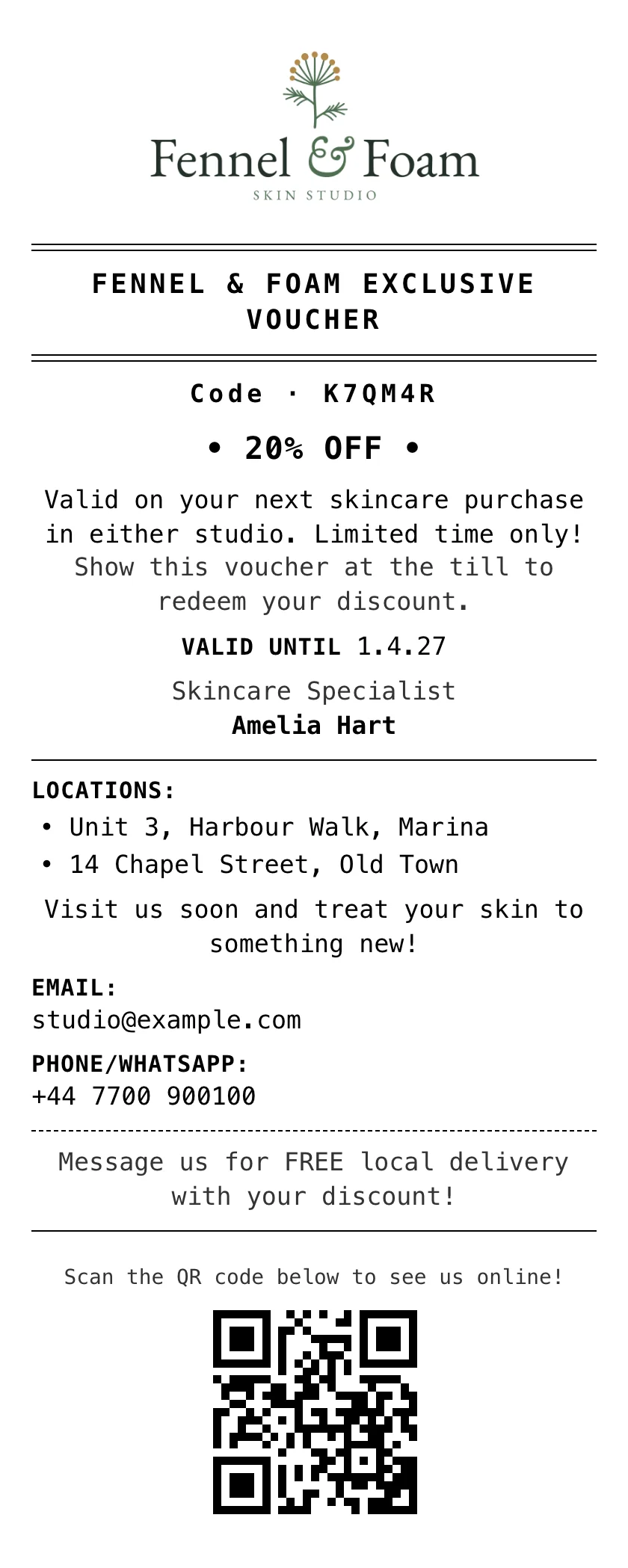
Discount voucher
From Quick prints: a code, a percentage off, a date and who gave it.
Receipt
On 80 mm paper or A4, or by email, in the language you choose for your customers.
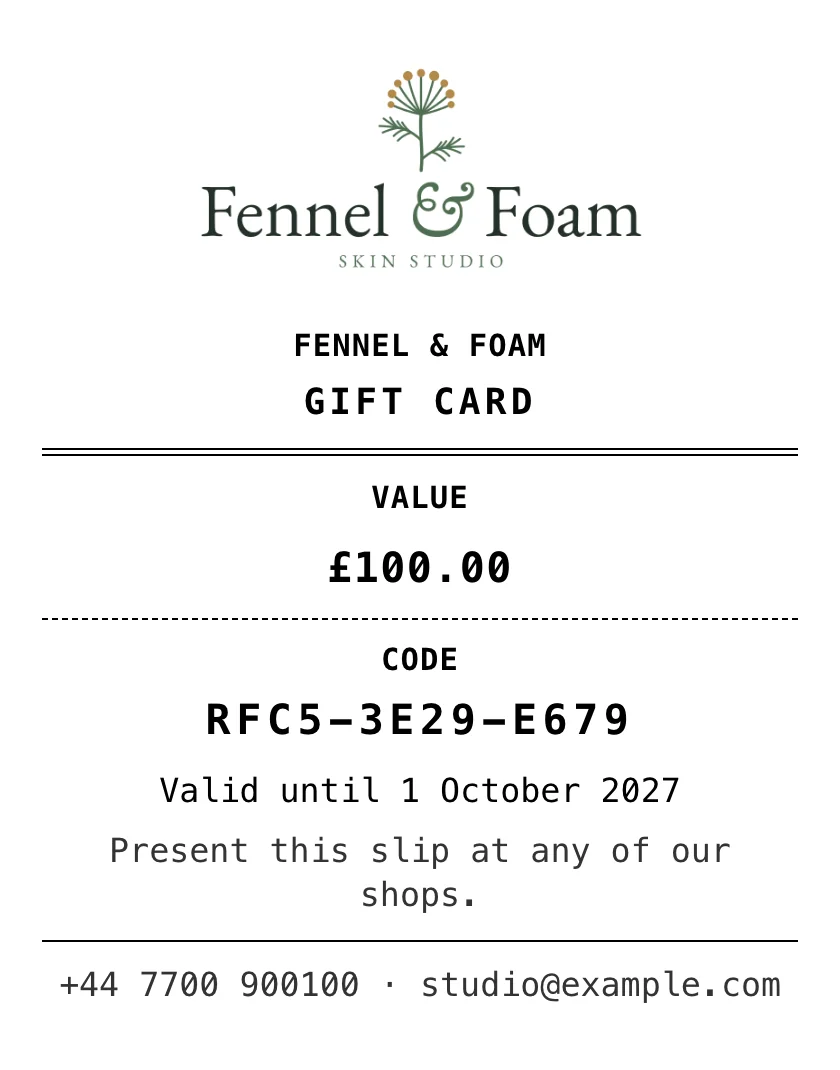
Gift card
Sold at the till, with its own code, value and expiry.
Quick prints also makes business cards, facial flyers and skincare routines for customers to take home.
Set it up:Design the receiptQuick printsGift cards
Beyond the till
Your whole day, in one app
From opening up to closing the day, and the office work after. Each part has its own guide in the help centre.
Open the shop
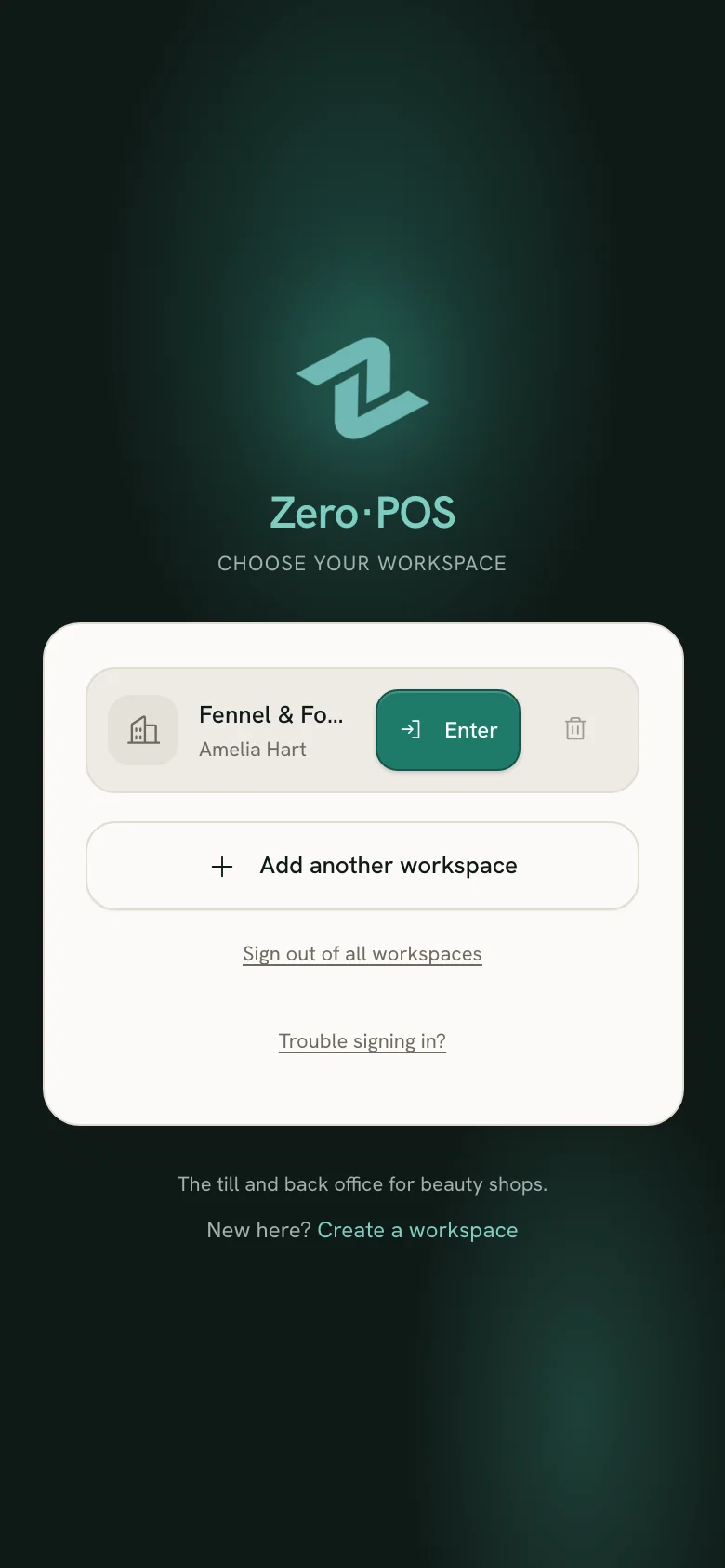
- Staff open their saved workspace and they’re in — no password to retype, and a passkey adds Face ID or Touch ID.
- Check in on your phone when you arrive. Breaks and hours are recorded for the owner.
- Today’s bookings show above the products on the till, so nobody is caught out by an appointment.
Guide:Check in and out
Demo shop · invented data
Sell more than a basket
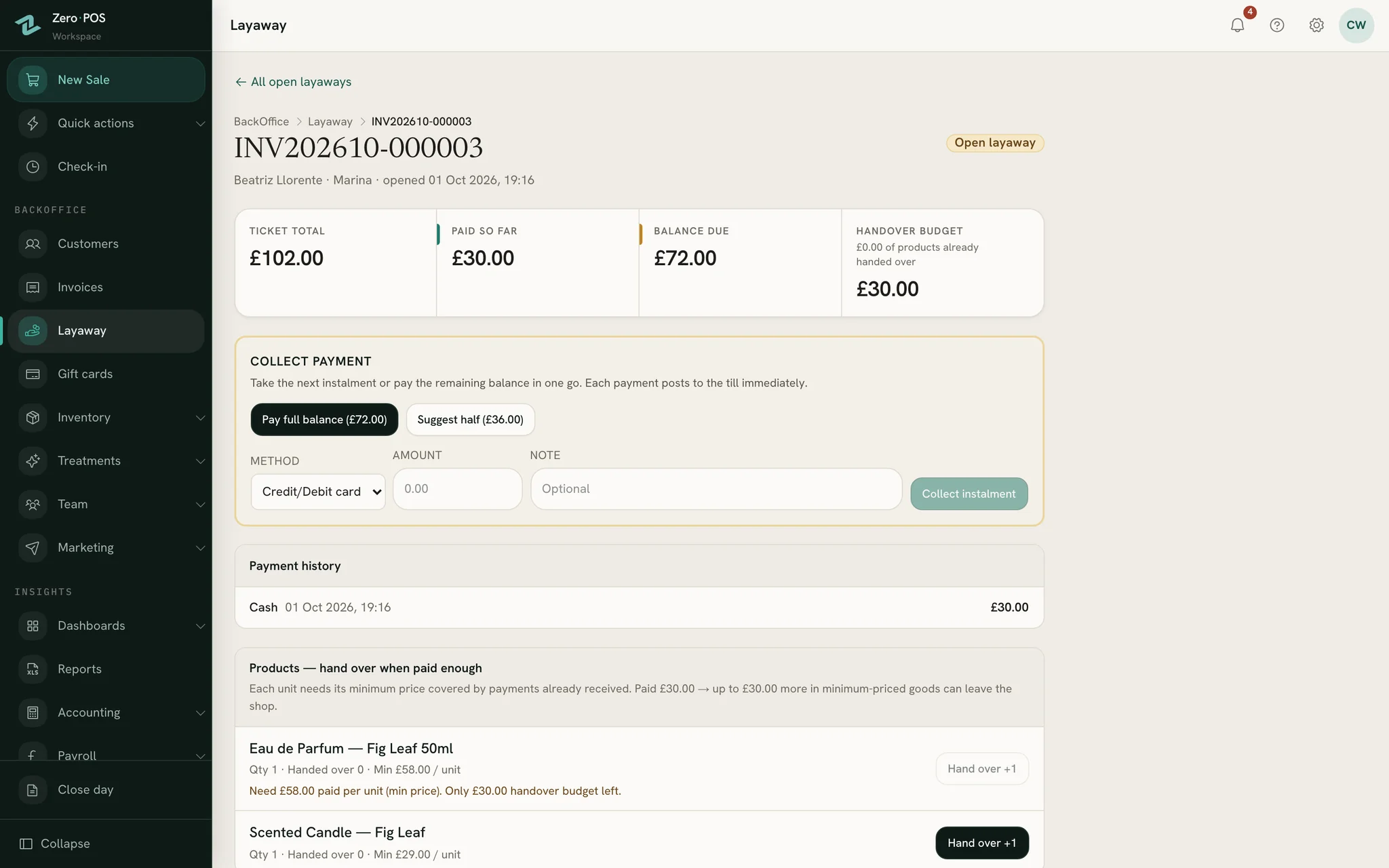
- Layaways: a deposit today, the rest later. Any seller can take the next payment.
- Gift cards, sold at the till: each slip has its own code, can be spent bit by bit, and expires when you decide.
- Change a line’s price or discount the whole ticket. Below the minimum price, a manager approves — by notification or with their PIN.
Demo shop · invented data
Book treatments
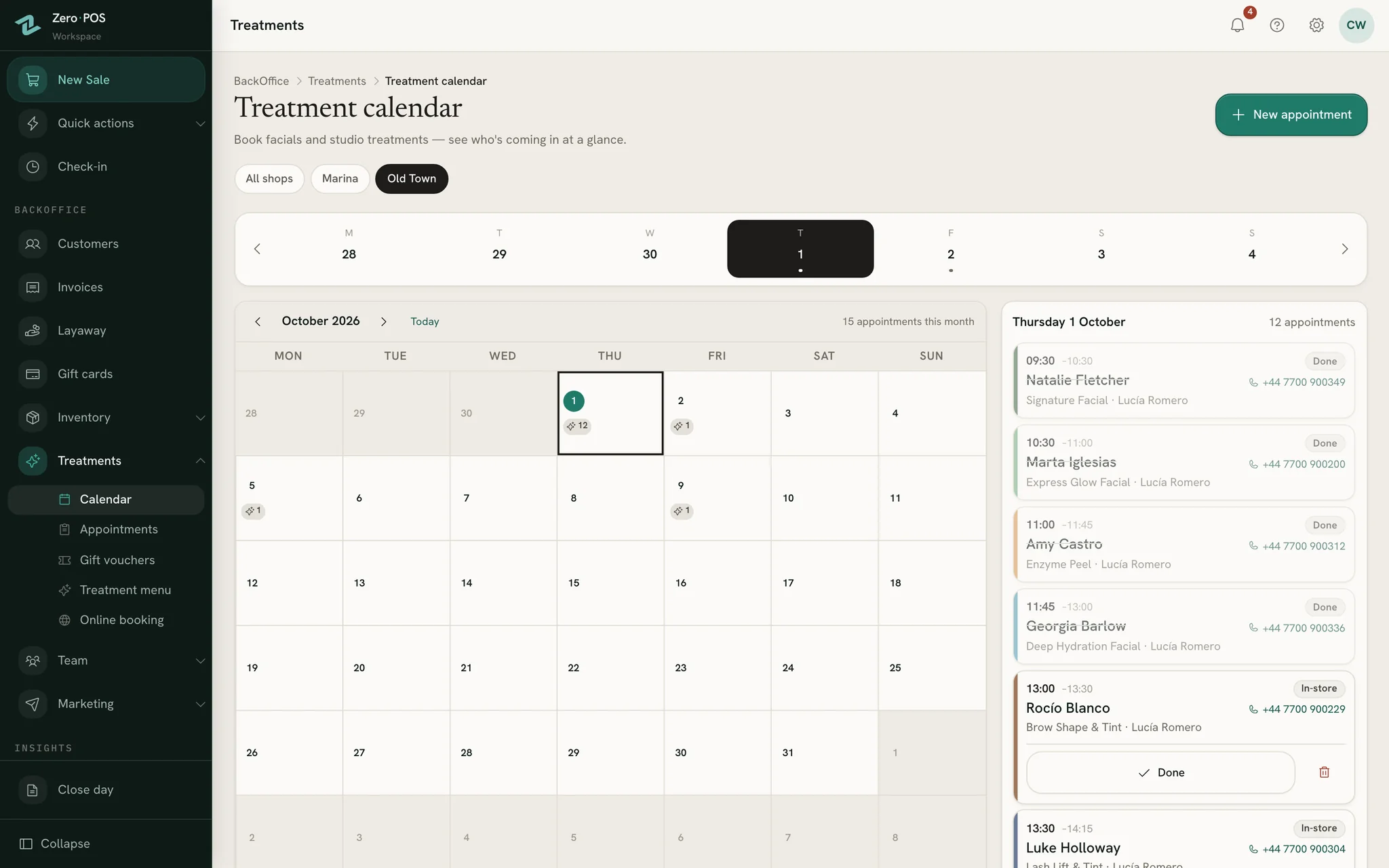
- A treatment diary for each shop’s day, with the free gaps drawn in — answer “what have you got on Thursday?” while they’re still on the phone.
- Your own booking page. Share the link on Instagram, WhatsApp or a QR code, and bookings land in the diary.
- Customers who leave an email get a confirmation with a link to change or cancel — no account needed.
Guide:Book an appointment
Demo shop · invented data
Know your customers
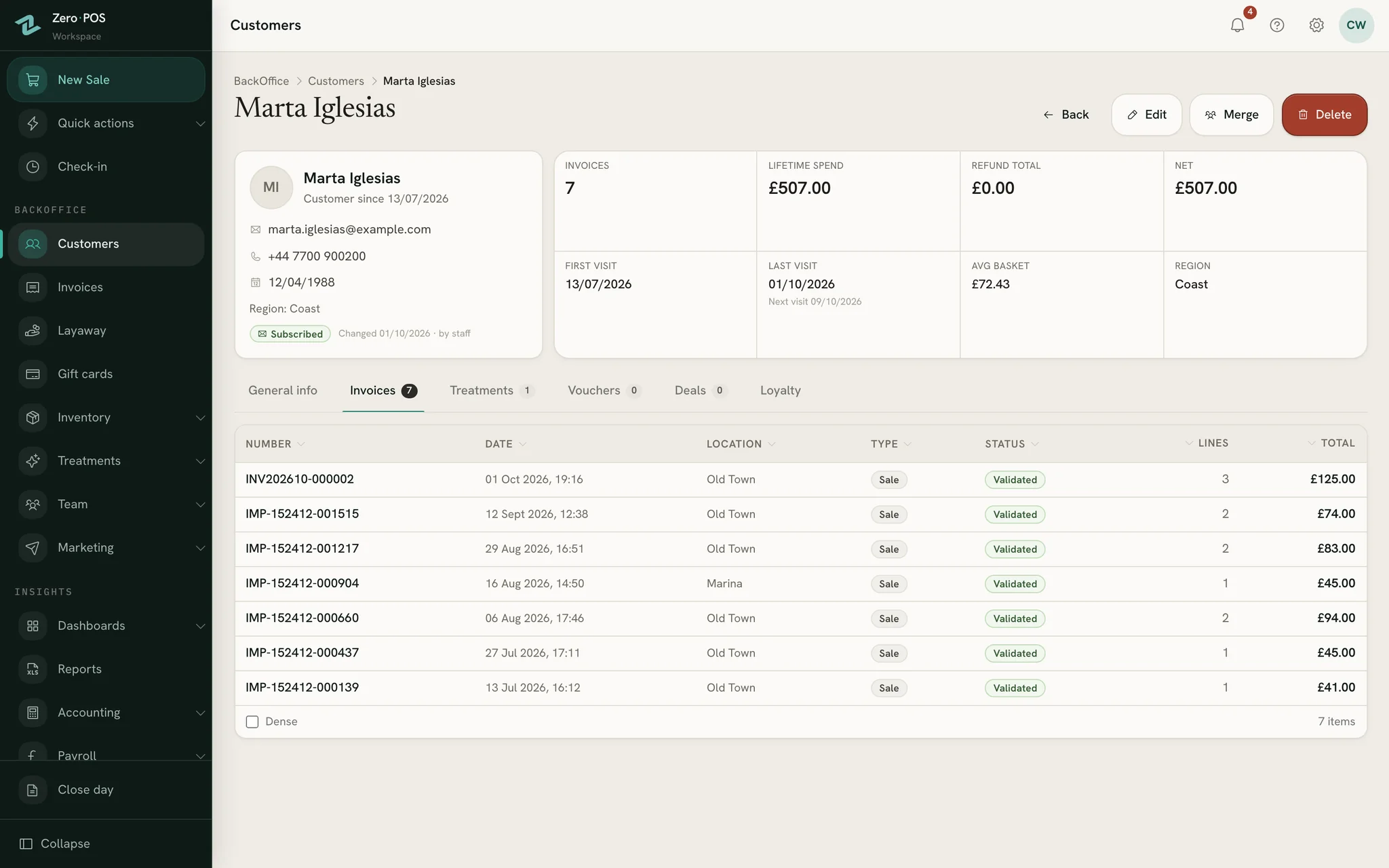
- One file per customer: what they bought, their treatments, loyalty points and store credit.
- Worth a call: regulars who’ve stopped coming, judged by their own usual gap, and big spenders who’ve gone quiet.
- Offer emails built from your own products, sent from your shop’s own email account. Unsubscribes are respected.
Guide:The customer file
Demo shop · invented data
Close the day
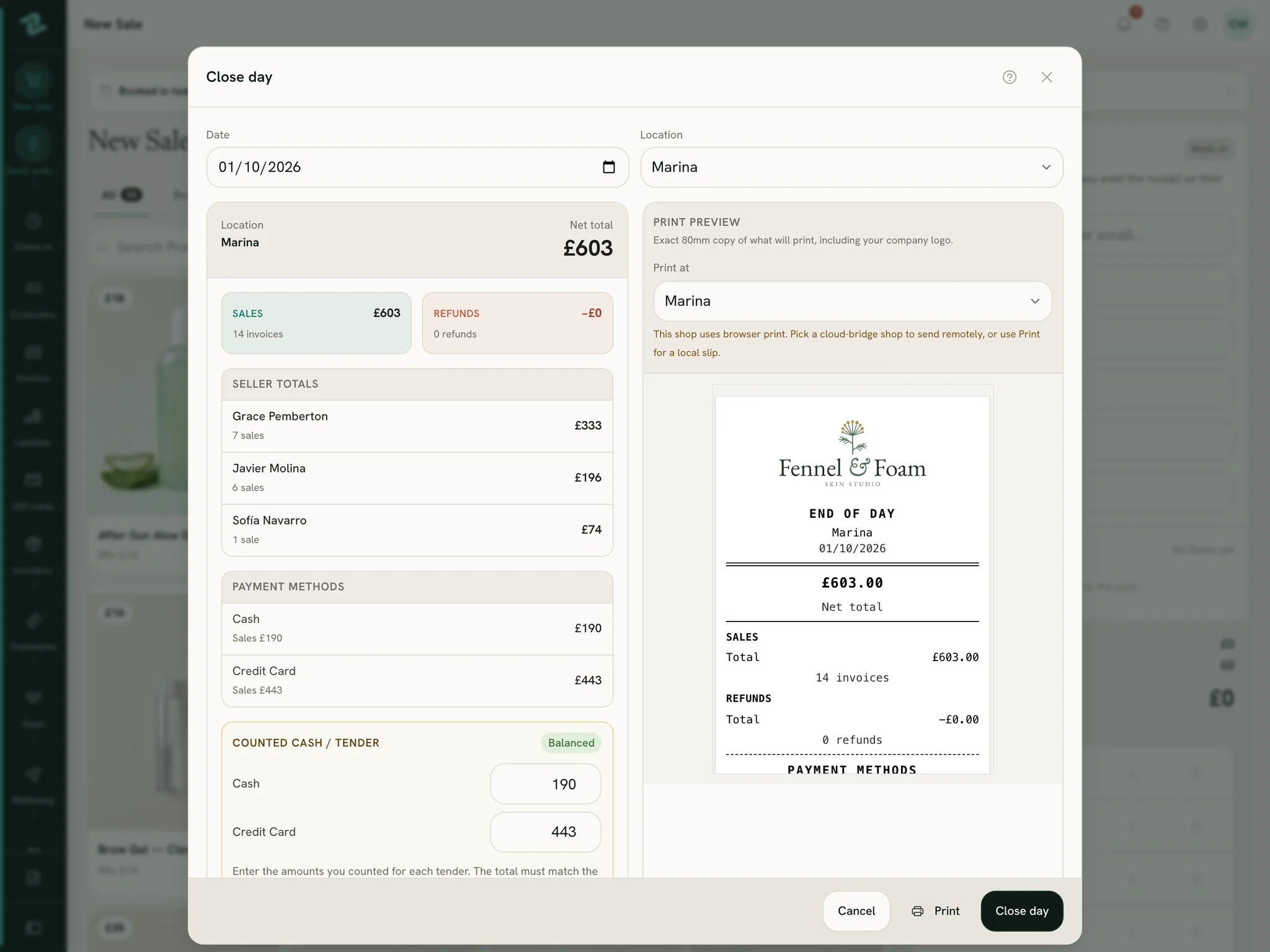
- Count each payment method against what the till expects. It tells you straight away if you’re over or short.
- The card line shows what your terminal should have taken, so you can check one against the other.
- Print the day’s slip. Anyone still clocked in is checked out.
Guide:Close the day
Demo shop · invented data
Run the back office
- Stock across every shop: transfers, stock-takes, testers, supplier orders and what’s running low.
- Tax your way — VAT included in the price, added on top, or none — with simple bookkeeping or full double-entry books.
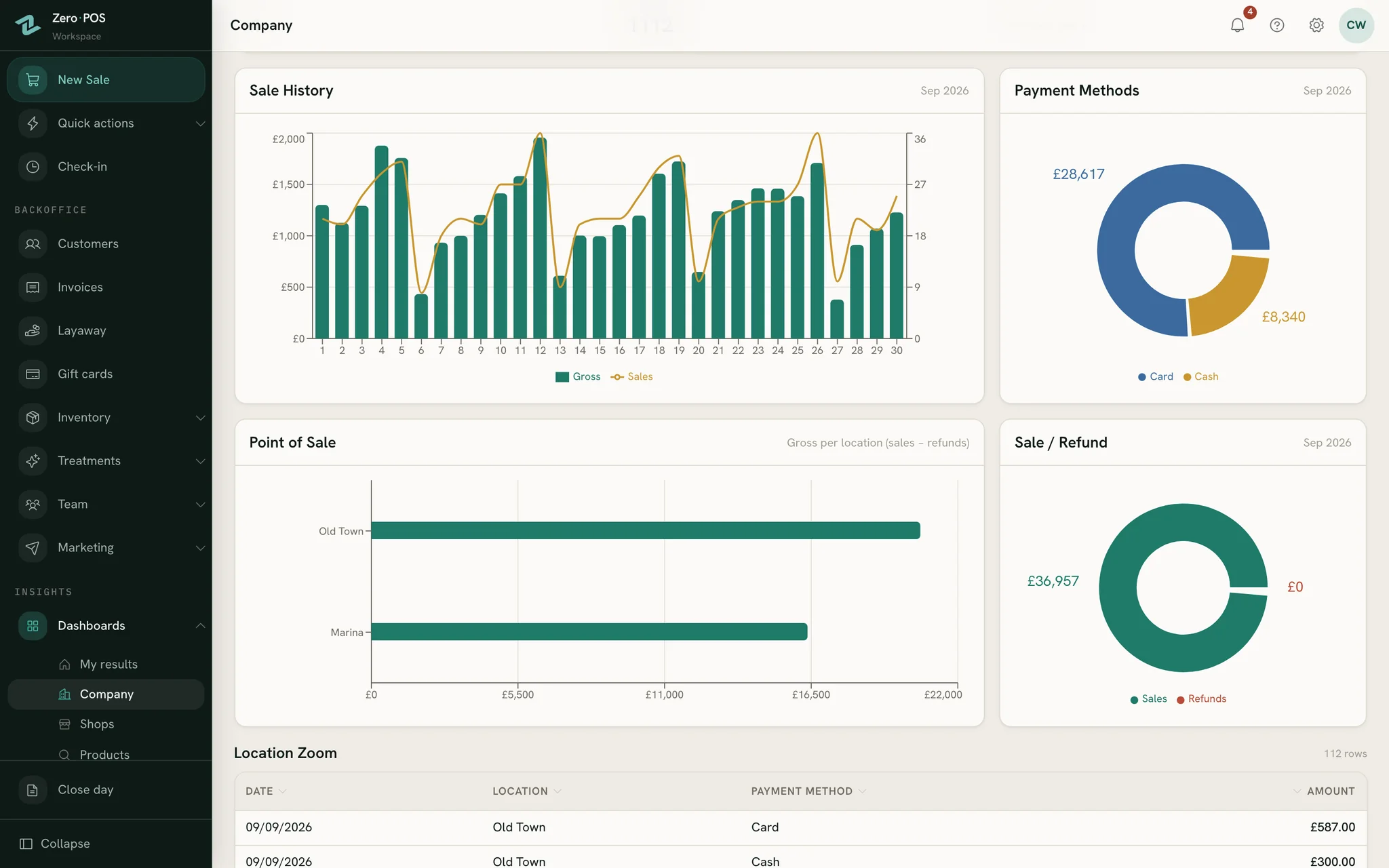
- Reports and dashboards by shop, product and seller, and CSV exports for your accountant.
Guide:What each report answers
Demo shop · invented data
Look after the team
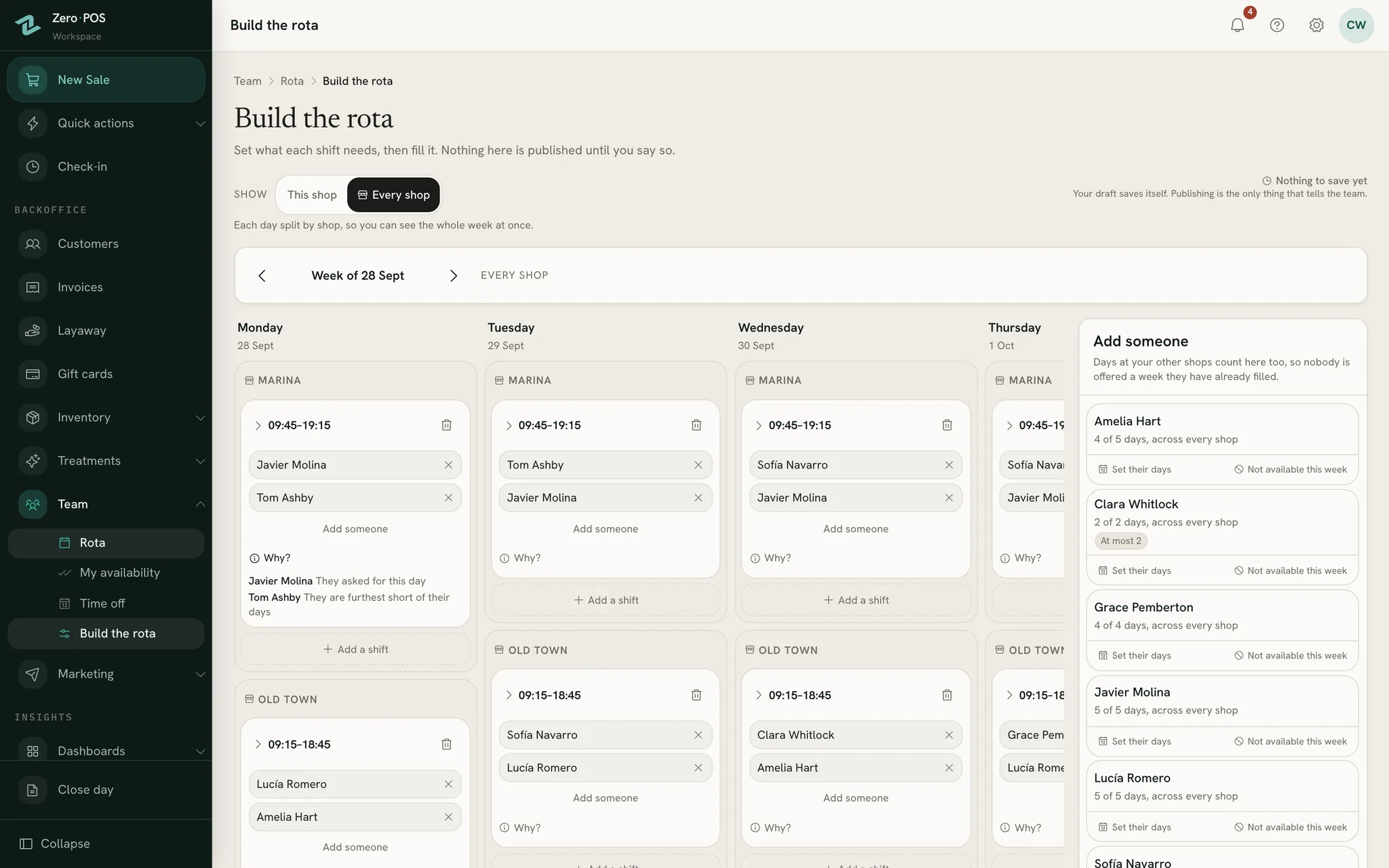
- The rota: staff say on their phone when they can work, and you build the week — or start from a draft that explains each choice.
- Time off: holidays and sick days for each person. You set the allowance; Zero POS does the counting.
- Commission tiers and sales targets, with pay worked out for you. You record what you actually pay.
Guide:The rota
Demo shop · invented data
Why Zero POS
Why choose Zero POS for a beauty business
Six things Zero POS does for a salon, spa or beauty shop — all built in, from day one.
Zero POS at a glance
- 0apps to downloadIt runs in the browser. Add it to the home screen and it opens like an app.
- 0new hardwareThe tablet, phone or computer you already own is the till.
- 0%of your card salesKeep your own card terminal and your own rates. Zero POS takes no cut.
- 0fees per personYou pay per shop. Staff and devices are unlimited.
- 0passwords to retypeStaff stay signed in on their own device, and a passkey lets them back in with Face ID, Touch ID or the screen lock.
Priced per shop, not per person
Staff, devices, products and customers are unlimited, and every shop after your first costs less.
ElsewhereSome charge for every member of staff — part-timers too.
Try it free, no card needed
At least 30 days free, with no card to enter — nothing is charged during early access.
ElsewhereSome give you seven days free — others no trial at all, just a sales demo.
The devices you already own
Runs in the browser on the iPhone, iPad, Android, Mac or Windows PC you already have, with nothing to install.
ElsewhereSome need a Windows PC; others only run on an iPad.
Products and treatments, one till
The serum and the facial in one basket, with a treatment diary, your own booking page and stock across shops.
English and Spanish, side by side
The till and the back office your team uses every day, receipts, booking pages and the help guides, in both languages. Each person picks their own.
Built at a real counter
Made by an owner of skincare and treatment shops, for owners of shops.
Who it’s for
Made for your kind of shop
A counter of serums and creams, a few treatment rooms, or both under one roof — Zero POS was built for exactly this trade.
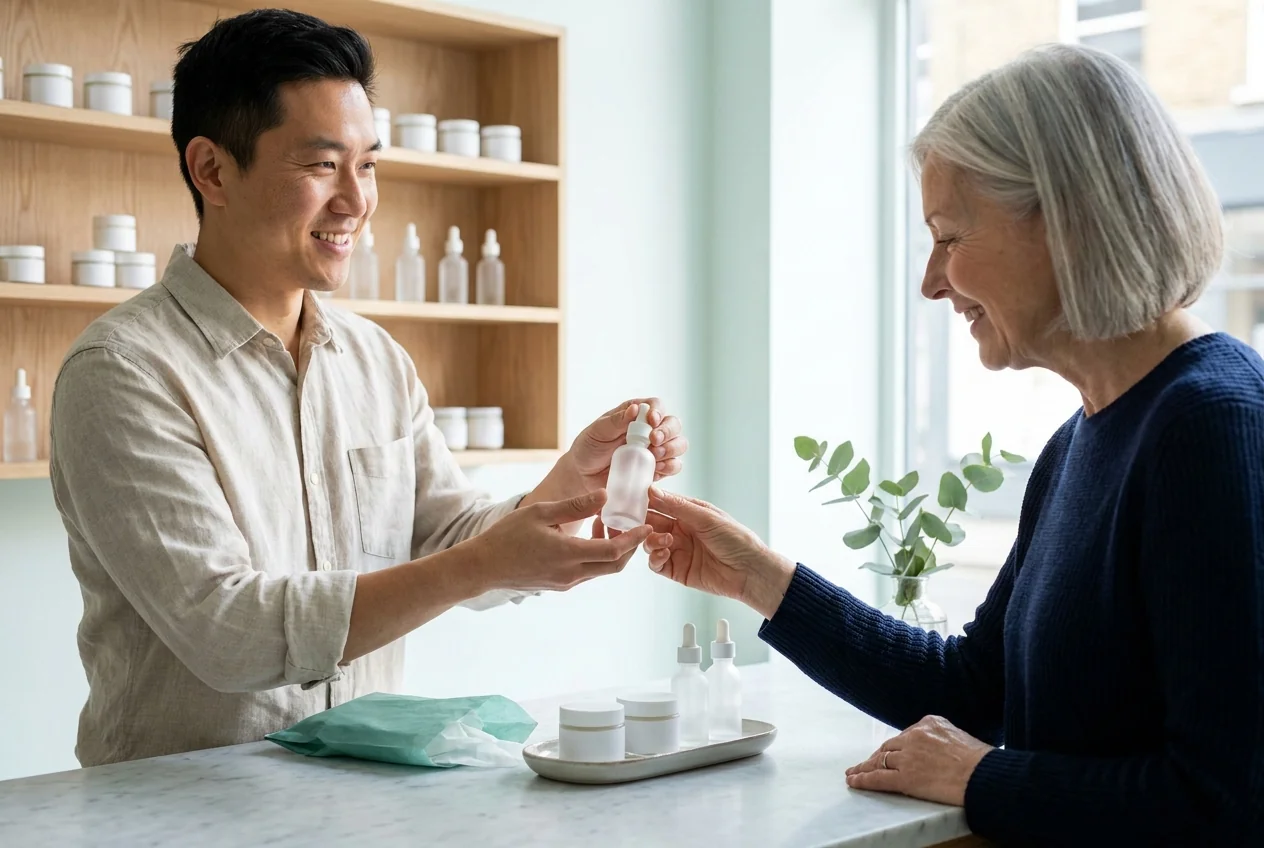
Skincare & cosmetics shops
Testers counted, stock across shops, a serum and a facial on one ticket, and gift cards at Christmas.
POS for skincare shops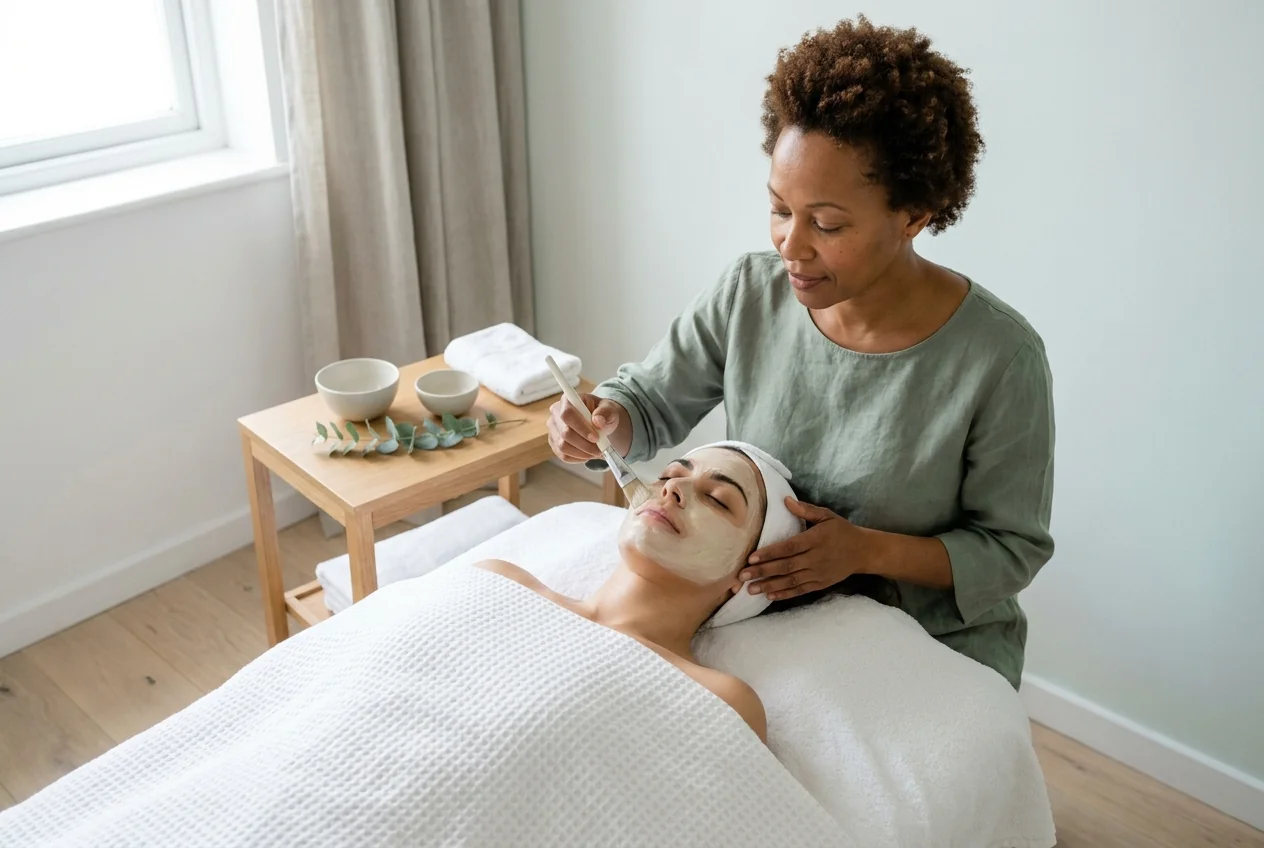
Salons & spas
The diary with its free gaps, a booking link for Instagram and WhatsApp, and the aftercare on the same ticket.
Salon & spa softwareWhere it comes from
Made by an owner of shops, for owners of shops
Zero POS was built by someone who runs skincare and treatment shops every day. He knows exactly what shops need at the counter, in the treatment room and in the back office — because his own shops need it too.
In daily use at a real skincare and treatment counter since May 2026.
About Zero POS


Trading in Gibraltar or Andorra?Zero POS in AndorraZero POS in Gibraltar
Pricing
One price per shop, everything included
Founding offerJoin before 31 March 2027 and every shop is $79£59€69 a month, for as long as you stay.
Join later and the usual price applies: $99£79€89 a month for your first shop, $79£59€69 for each shop after it.
Staff, devices, products and customers are unlimited. Stockrooms and treatment rooms cost nothing extra.
Free during early access. These are the prices paid plans will have: nothing is charged until then, and you’ll get at least 30 days’ notice by email before any first bill.
See pricingPrices in US dollars.Prices in pounds.Prices in euros. Also in pounds and eurosAlso in US dollars and eurosAlso in US dollars and pounds
Switching
Moving takes a spreadsheet
Your products come across from a spreadsheet, your past sales too if you want them, and your card terminal stays exactly as it is.
Import your product list
From a spreadsheet. You see a preview before anything is saved, and you can undo the import.
Bring your past sales, if you want
Previewed first, then added all together or not at all.
Run both tills side by side
Try Zero POS next to your old till before you let it go. Your card terminal doesn’t change.
Send us your product list and we import it for you, free during early access.
Write to info@zerolines.life to start.
Questions
What shop owners ask first
Straight answers to what owners ask before they switch.
Help centre
The same short guides your staff will use, in English and Spanish, open to anyone.
- Make a sale
- Refund a sale
- Let customers book online
- Import past sales
- Languages
- Sign in without typing a password
What does it cost?
Which devices does it run on?
Can I keep my card terminal?
What does a shop need to run it?
Is it really in English and Spanish?
Can I bring my products and past sales?
Is my data mine?
Who is behind Zero POS?
Who helps me if I get stuck?
Will it run on what you already have?
Zero POS is a cloud EPOS that runs in the browser on iPhone, iPad, Android, Mac and Windows PC. There’s nothing to install, and updates arrive by themselves.
Runs on
- iPhone
- iPad
- Android
- Mac
- Windows PC
Setting up a printer:Design the receipt

Our promises in writing
- No card until you choose to pay
- At least 30 days’ notice before your first bill
- No minimum term — cancel in Settings
- Download everything, any time
- The founding price for as long as you stay
Questions
Ask us anything
How Zero POS would fit your shop, your treatment room or your team: tell us what you sell and how you work today, and we’ll answer you ourselves, by email.
Prefer email? Write to info@zerolines.life.