Skip to content
Founding offer: join before 31 March 2027 and every shop is $79 a month, for as long as you stay

Sign in

Sign in to Zero POS

Zero POS opens at app.zeropos.shop. Sign in there with your email or username and your password, or with Face ID, Touch ID or your screen lock once you have saved a passkey.

New to Zero POS? Start free · Free during early access · no card needed

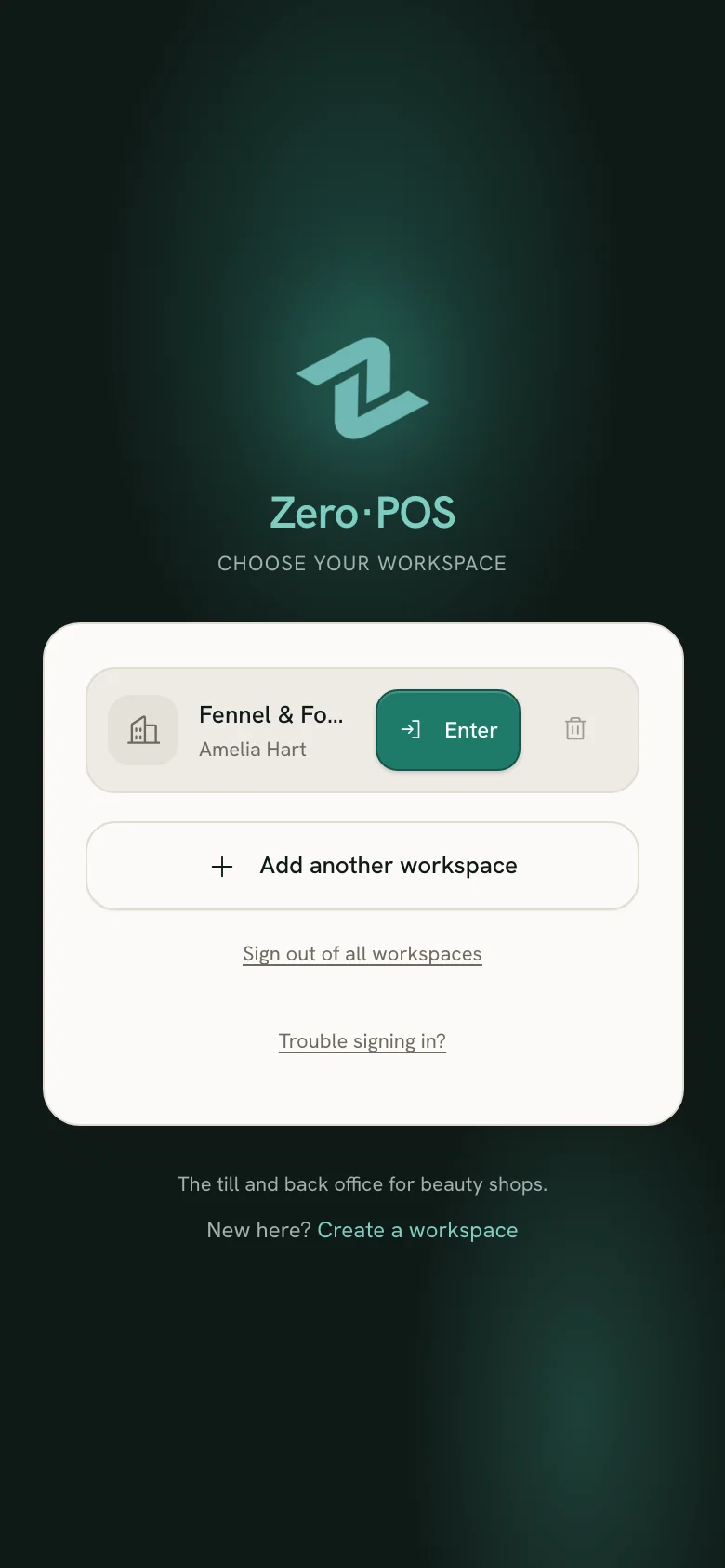
Choosing a saved workspace to sign in to Zero POS on a phone.
A real Zero POS screen, from an invented demo shop.

Four ways in

One tap on your own device

Each workspace you sign in to is saved on that device. Next time, choose it from the list and tap Enter, with no password; on your own phone, tablet or computer Zero POS keeps you signed in day to day.

Work in more than one workspace

Face ID, Touch ID or your screen lock

Save a passkey once, after you sign in, and from then on that device signs you in with Face ID, Touch ID, a fingerprint or its screen lock. A passkey only works on Zero POS’s own address, so a look-alike website can’t use it.

Sign in without typing a password

A username and the workspace code

Staff who sign in without an email use their username and the workspace code: the short name the owner chose when the workspace was created.

A forgotten password

Ask for a reset link by email, choose a new password of at least 8 characters and sign in with it. A reset removes your passkeys, so save one again afterwards.

Reset your password

Keep Zero POS on your Home Screen

Install Zero POS from app.zeropos.shop on an iPad, a phone or a computer: it opens full screen, like an app, and keeps you signed in. There is nothing to download from an app store.

Install Zero POS on an iPad, phone or computer

Signing in, answered

Where do I sign in to Zero POS?
At app.zeropos.shop, the app’s own address: the Sign in button on this page opens it. zeropos.shop, where you are now, is the website about Zero POS.
Do I have to sign in every day?
No. On your own phone, tablet or computer Zero POS keeps you signed in. You meet the sign-in page again on a new device or a new Home Screen icon, after signing out, or after a password reset.
I forgot my password. What do I do?
Open Reset your password on this page, type your email and tap Send reset link. Open the link in the email, choose a new password of at least 8 characters and sign in with it.
Can I sign in without typing a password?
Yes. Save a passkey after you sign in, and that device signs you in with Face ID, Touch ID or its screen lock from then on. Each person saves their own, on their own phone, tablet or computer.
How do I get a Zero POS account?
Tap Start free and create your workspace with your business’s name, your name, your email and a password. Then add your team, and each person signs in with their own account.