Switching to Zero POS
Switching your shop to Zero POS, step by step.
What switching POS systems takes, in the order you’d do it — from sign-up to your first sale.
The move
In order, from sign-up to your first day
Create your workspace
Sign up with your business name, your own name, your email and a password. Add your country, currency and VAT rate, and say whether your prices include VAT. Zero POS suggests a workspace code from your business name, and you’re signed straight in.
Start freeFree during early access, with no card to enter.Let the guided setup walk you through
Straight after sign-up, Zero POS takes you from nothing to a working till: your business details, your first shop, how you charge VAT, how customers pay, a first product and a test sale. Any step can wait for later. After it comes an optional tour of the settings, one card at a time.
Import your product list
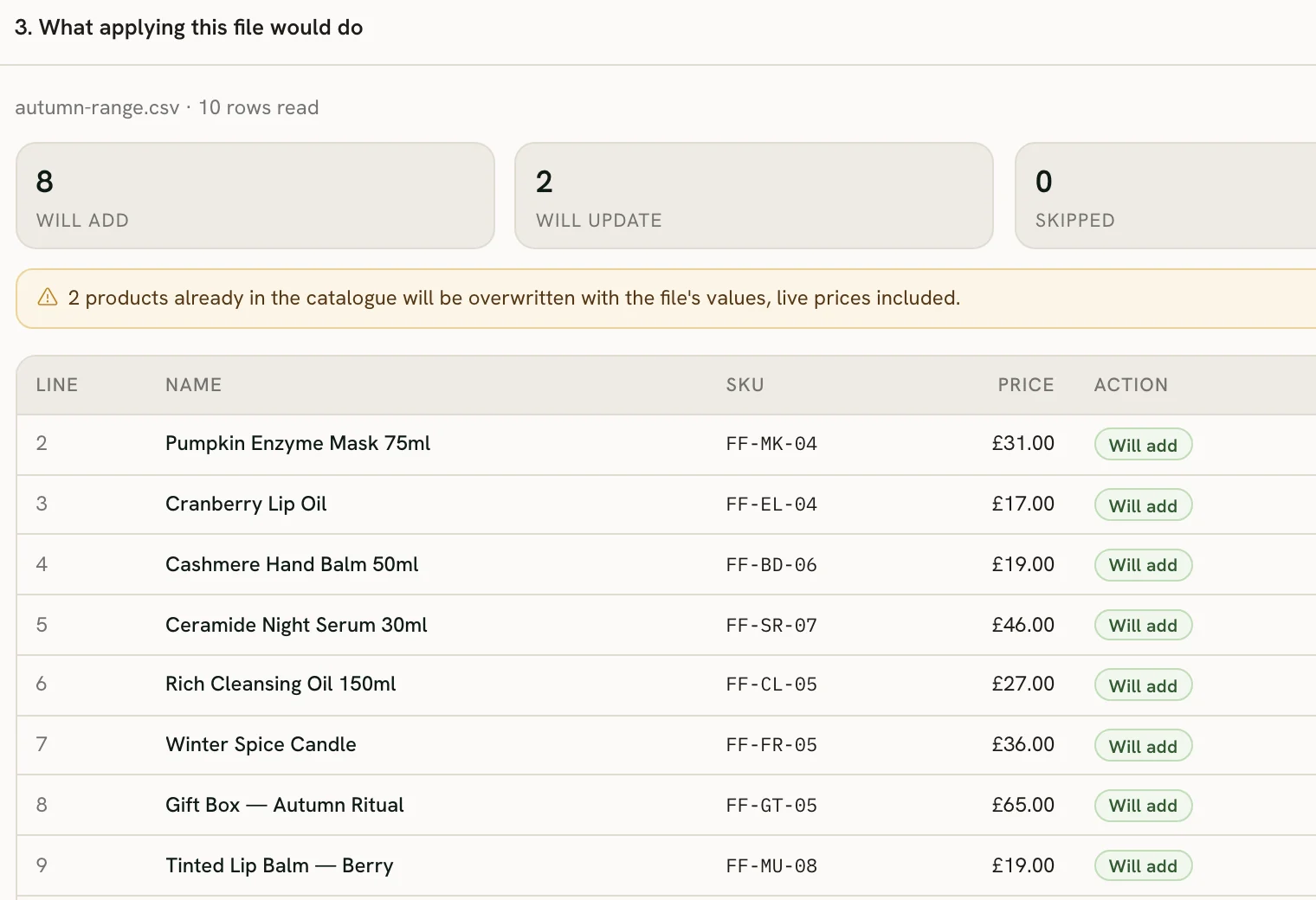
Fill in the template, or use your old till’s export: columns are matched by their headings, so “Sale price”, “RRP” or “PVP” all read as the price. Before anything is saved, you see row by row what the file would add, update or skip. Changed your mind? Undo the import.
Bring past sales across, if you want them
Your sales history can come in from one spreadsheet — sales, customers, products and sellers together. Choosing the file only shows you what it contains; when you import, it all goes in or none of it does, and each file can go in only once. Imported sales show in your sales reports, dashboards and customer files.
Add your team
Add each person with their role and the shops they work in. They get an email to set their own password, and after their first sign-in they can save a passkey: from then on it’s Face ID, Touch ID or their screen lock, with no password to retype.
Run both tills side by side
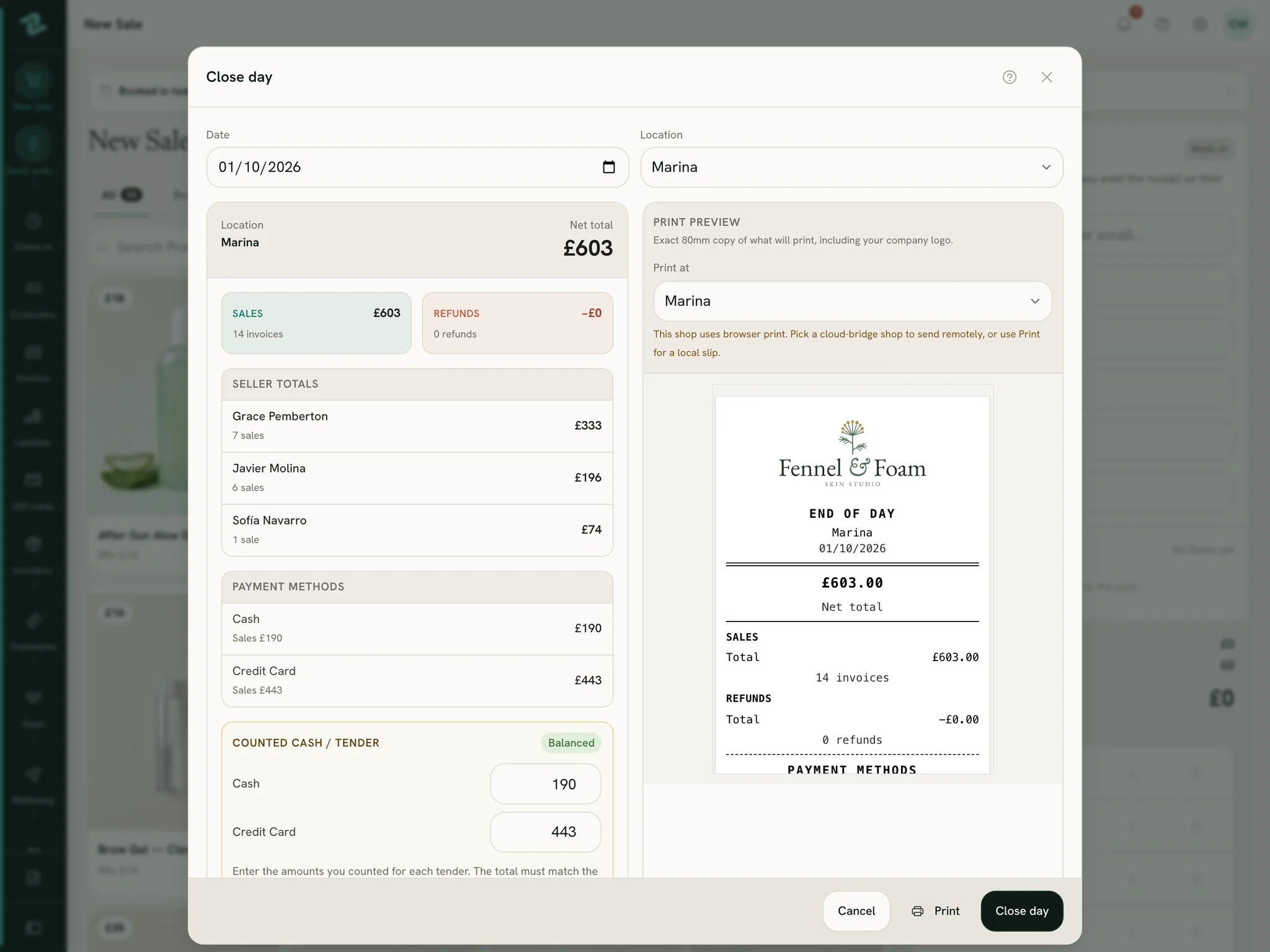
Keep your old till going for as long as you want while everyone gets used to Zero POS. Your card terminal stays where it is: take the payment on it as now, choose Card at the till, and the sale is recorded. At closing time, the end-of-day close shows what the terminal should have taken.
Early access
We import it for you
Rather not do the import yourself? Send us your product list, as it comes out of your old till or a spreadsheet, and we load it into your workspace. Free during early access.
- Your products, with their prices, barcodes and categories.
- The opening stock in each of your shops.
- You check everything in your workspace before your first sale.
Send us your product list
Tell us what you use today and roughly how many products you have. We’ll reply by email, you send the list as it comes out of your old till or a spreadsheet, and we load it for you, free during early access.
Prefer email? Write to info@zerolines.life.
Before you start
Handy to have ready
- Your product list, from your old till or a spreadsheet. A name and a price for each product is enough to start.
- How you charge VAT: included in your prices, added on top, or not at all.
- Each person’s name and email, to add them to the team.
- Your past sales in one spreadsheet, if you want your history in Zero POS.
Start with your own shop.
Create your workspace, import your products and ring up a test sale before you decide anything.
Free during early access · no card needed
Already use Zero POS? Sign in
Rather ask first? Leave your details