Estheticians & beauty therapists
For estheticians and beauty therapists who sell what they recommend
You do the treatment, then you recommend the cream. Zero POS puts both on one ticket, credits both to you, and shows your week on your phone.
Free during early access · no card neededUpdated

Treatments and retail
The advice in the room, the sale at the till
The esthetician who did the facial is often the one who recommends the cream. Zero POS makes sure the sale is credited to them.

One ticket
The facial and the products that go home with it are rung up together. The treatment moves no stock; each product comes off the shop’s count.
Credit where it’s due
Add the therapist who recommended it as a seller, or share the sale between two, evenly, by percentage or by amount.
Retail with real stock
Products carry live stock at each shop, with a low-stock alert when one runs down and a blind stock-take to check the shelf.
Commission
Commission on both, worked out every day
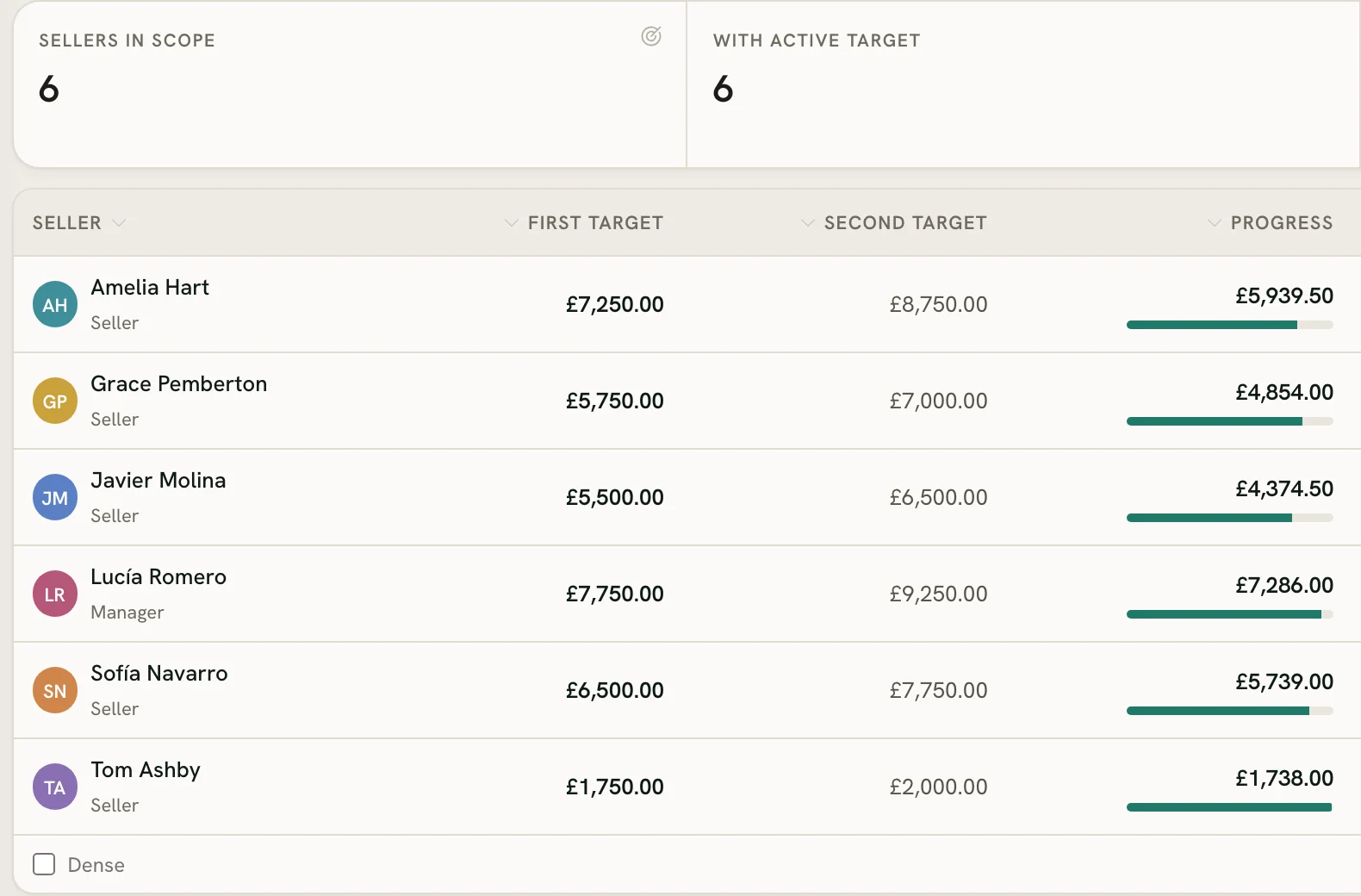
Set each person’s hourly rate and commission tiers once. Zero POS does the sums from the day’s sales; you pay people yourself.
Daily tiers, before tax
Each day’s sales, less refunds, fall into one tier, and its rate applies to the whole day. Treatments and products count alike.
The higher of the two
At month end the commission is set against the hourly rate for the hours worked, and each person earns whichever is higher.
Targets and a salary page
Each therapist follows a monthly target on their own dashboard, and their salary page adds up commission, hours and bonuses day by day.
Tips, beside their pay
If the shop asks for tips at checkout, each therapist’s share shows beside their pay. A tip goes where the shop’s rule sends it, to the sale’s sellers or shared with the team on shift, and never counts towards commission.
Your week
Your shifts and your hours, on your phone
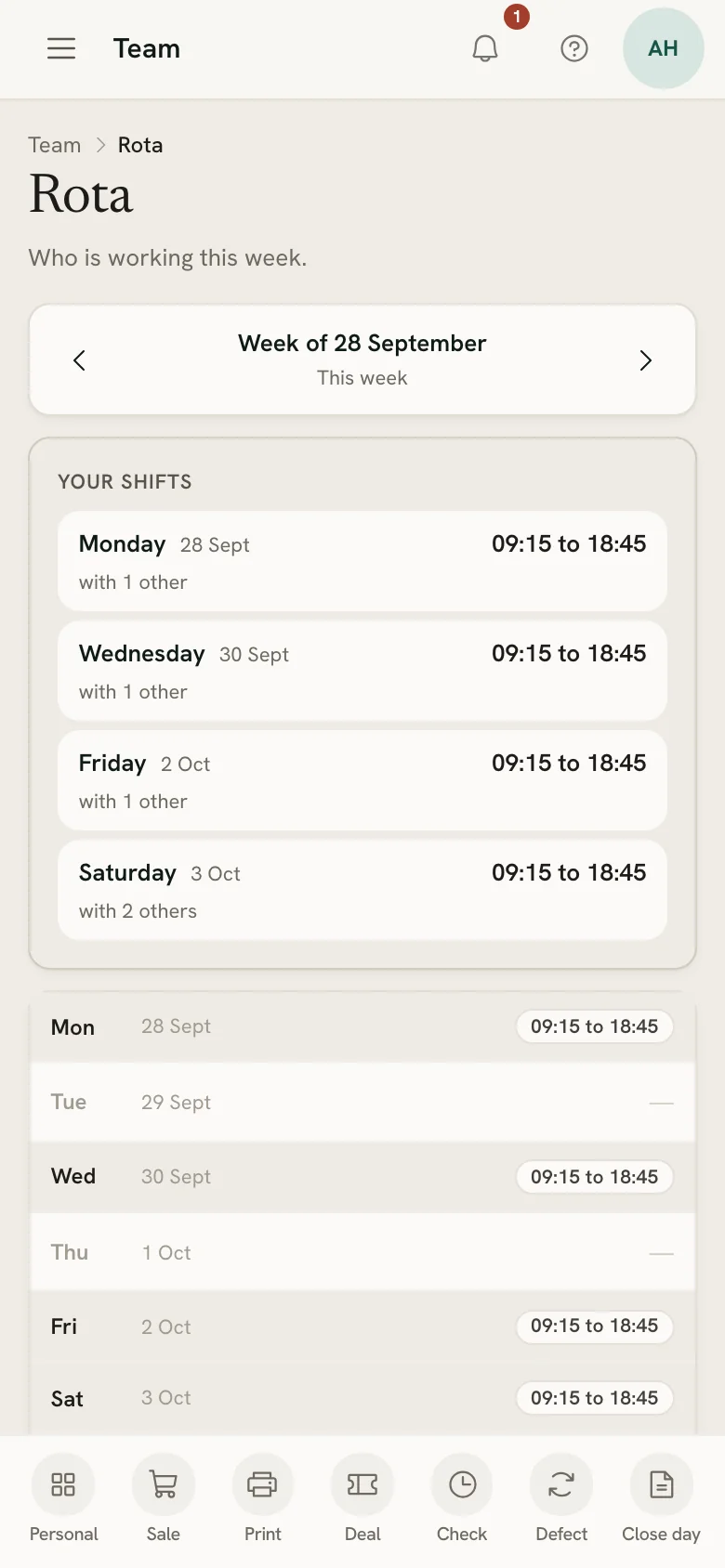
Therapists check in at the shop they’re working in, see their week, and say what suits them the week after.
Check in, take a break
Breaks are timed against the paid minutes you allow, and a shift nobody clocked out of is flagged for a manager to put right.
A rota that explains itself
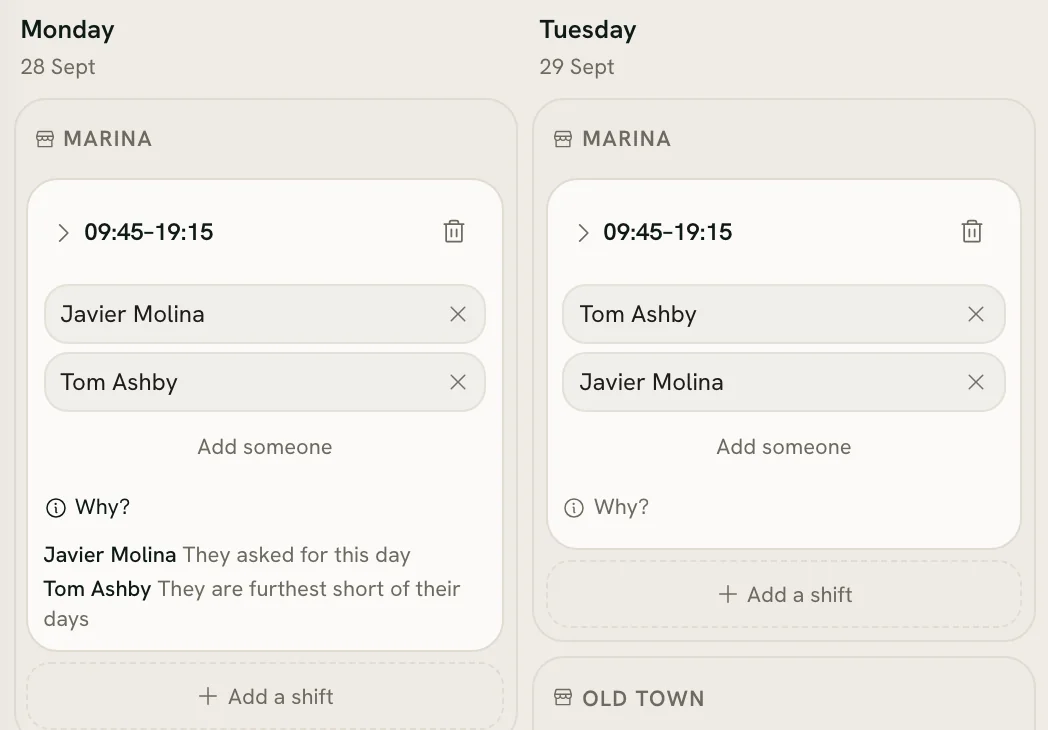
Each shift in a proposed draft says why that person got it, and the rota never puts anyone on a day they’ve booked off.
Time off, counted
Holidays and sick days are kept apart for each person, against the allowance you set.
How it works
The room and the day
One room or several, and a day that balances
However small the business, the diary and the takings have to agree with what really happened.
Rooms the booking page respects
Say how many treatments can run at once — one, for a single room — and online booking never offers more.
Today’s list at the till
The appointments booked for today sit above the product grid, so whoever is free can take the payment.
Reminders by email or text
Remind clients the day before, two hours before or both, with a link to stop them in every message. Texts go from your own Twilio account.
Close the day
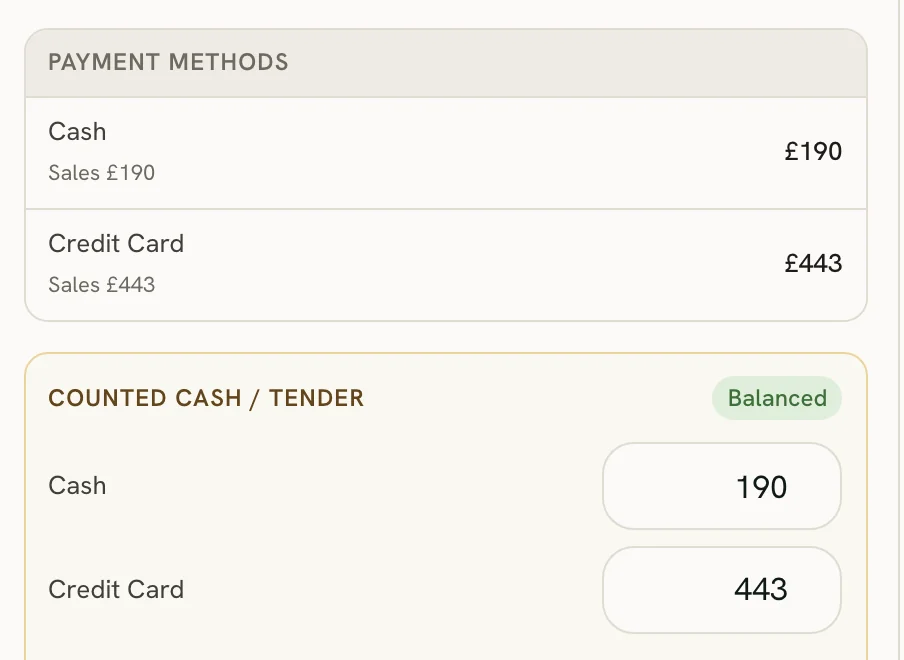
Count the cash, check the card total against what the till expects, and print the slip. Anyone still clocked in is clocked out.
How it works
Credit the advice as well as the treatment
Start a free workspace, add your team with their rates and tiers, and ring up a test sale. Nothing is charged during early access.
Free during early access · no card needed
Already use Zero POS? Sign in