Points & store credit
Loyalty points and store credit for beauty shops
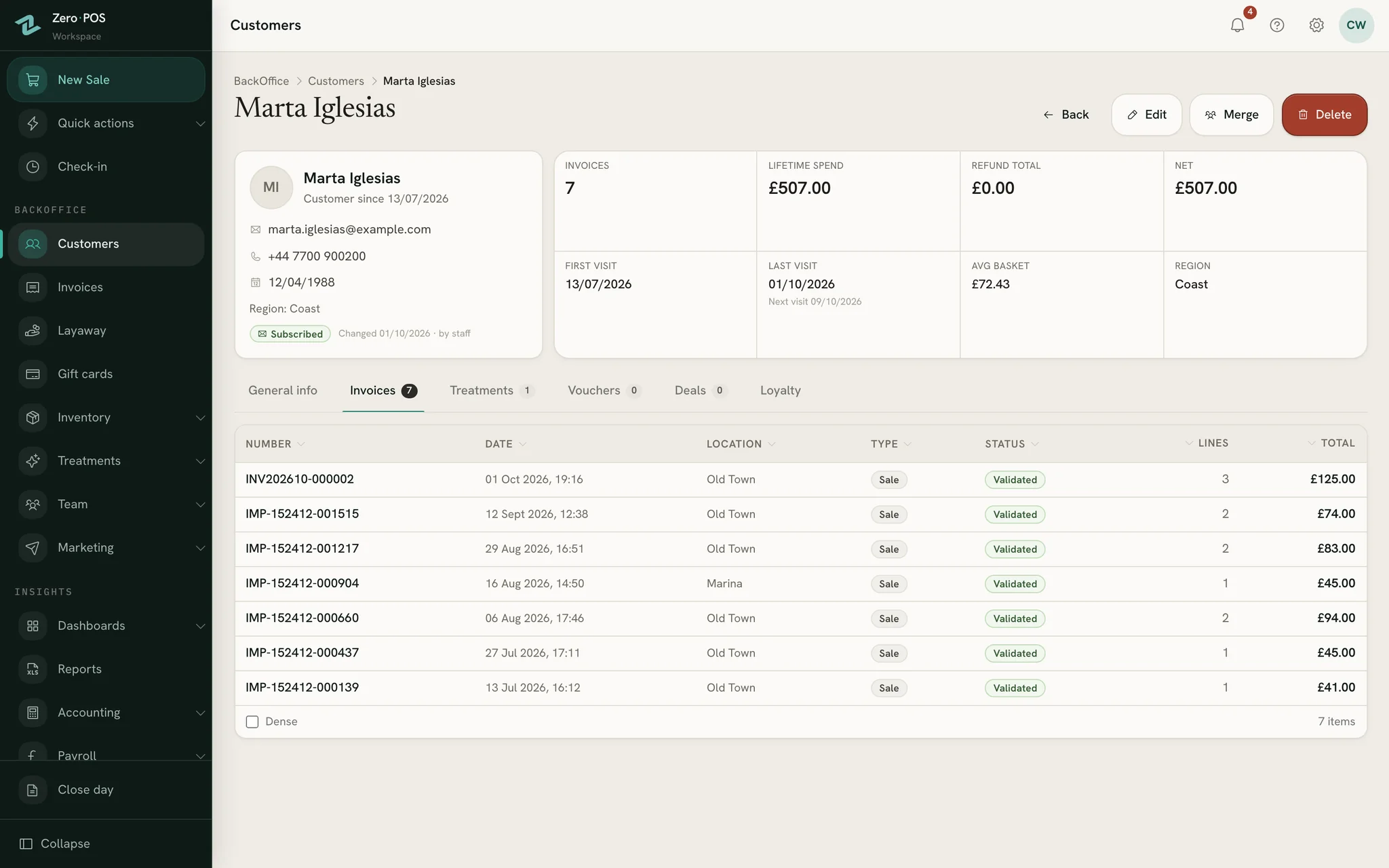
Every customer has one file, whoever serves them: their sales and refunds, their points, their tier and any credit you hold for them. Points add up with every sale, your regulars earn faster, and the ones who have gone quiet are on a list to call.
Free during early access · no card neededUpdated
Loyalty points
Points on what they spend, more for your regulars
Switch points on and every sale to a customer on file earns them by itself. You decide the rate, the tiers and what a point is worth.
Setting it up
Switch on loyalty points and say how many points each unit of currency earns.
Set what a point is worth when it is redeemed, and the fewest points that can be redeemed at once.
Add tiers if you like: once a customer’s lifetime spend reaches a threshold, they earn faster, by the multiplier you choose.
Sell as usual. Points land on the customer’s file with every sale.
How points are counted
- On what the customer really paid: after a discount on the whole ticket, and before VAT.
- The same in every shop, whether its prices include VAT or add it at the till.
- A refund takes back the points that sale earned.
- A manager redeems points from the customer’s file, and every movement is listed in its ledger.
Store credit
Money you owe a customer, kept on their file
Store credit belongs to one customer. Nobody buys it, and only the customer it belongs to can spend it.
Added by a manager
A positive amount adds credit and a negative one corrects it, and a note can say why. Every change is listed on the customer’s file.
Spent at the till
For a customer on the sale with a balance, store credit appears as a way to pay, the balance beside it. Another method covers the rest.
Never below zero
The till never lets a balance go below zero, and adjusting credit never moves money in or out of the drawer.
Final, once spent
A sale paid even partly with store credit is final: it can’t be refunded, exchanged, cancelled or edited, and the credit stays spent.
A reason to come back
Regulars who’ve gone quiet, on one list
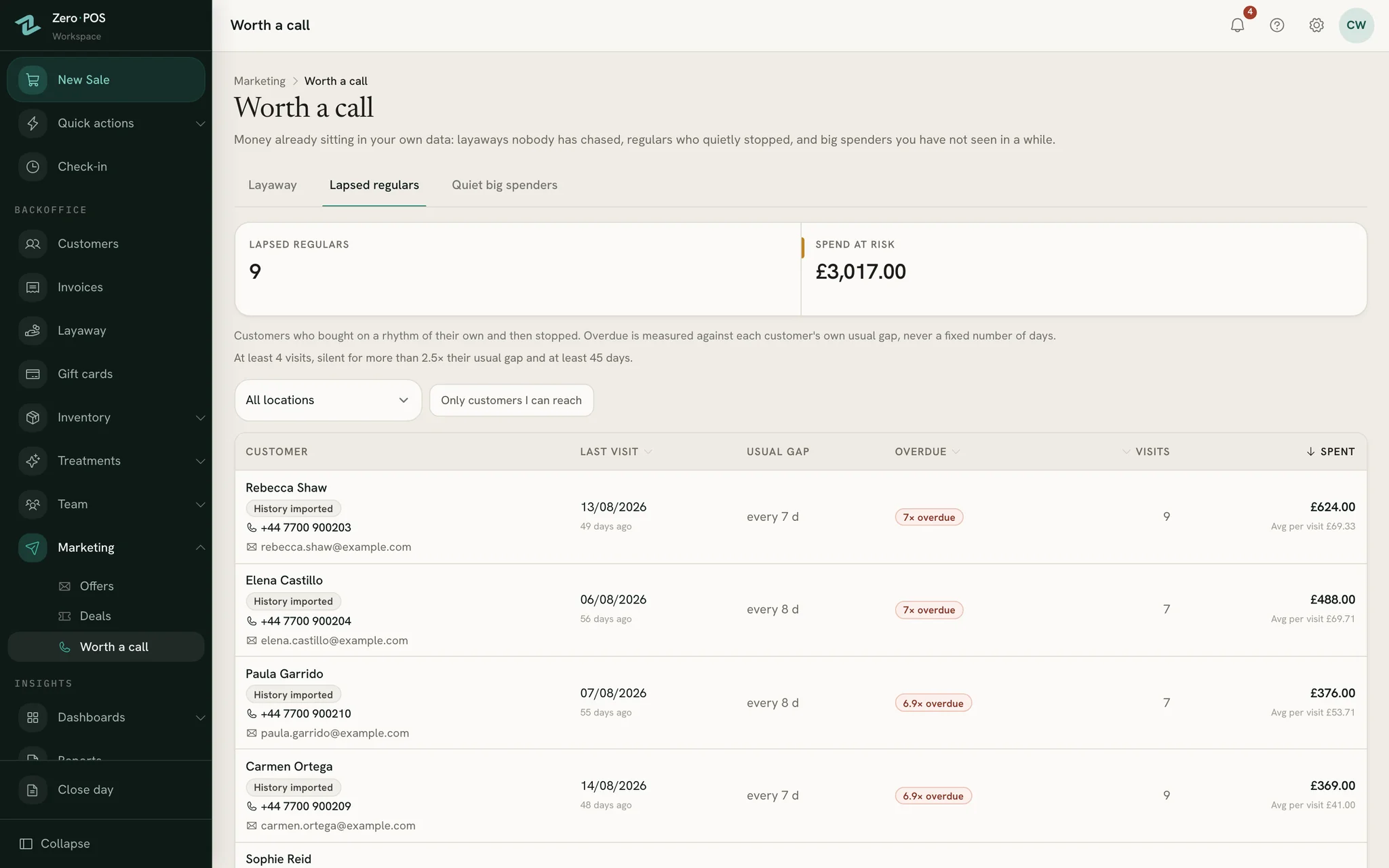
Worth a call reads the sales you already have and turns them into phone calls. It only reads: nothing on it is saved, marked or sent.
Lapsed regulars
Customers who bought on a rhythm of their own and stopped: at least four visits, then silent for more than two and a half times their usual gap.
Quiet big spenders
Your biggest customers by what they have spent, not seen for 90 days, whatever their rhythm.
One file, whoever served them
Duplicates merge into one: sales, points and credit move to the file you keep, and the balances are added together.
Offers to people who said yes
Email an offer to either list from your own address. Only customers who may receive your marketing email get it.
Step by step, in the help centre
Questions
Asked before signing up
How does a customer use their points?
Can a sale paid with store credit be refunded?
Is store credit the same as a gift card?
Does a walk-in customer earn points?
What happens to points when we merge two files?
Reward your regulars from the first sale
Start a free workspace, switch on points and choose your rate. Every sale to a customer on file starts counting. Nothing is charged during early access.
Free during early access · no card needed
Already use Zero POS? Sign in