Online booking
Salon online booking software with a till
Customers book themselves from one link, straight into your treatment diary. They only ever see times that are really free, and when they arrive, the till already knows who is booked in today.
Free during early access · no card neededUpdated
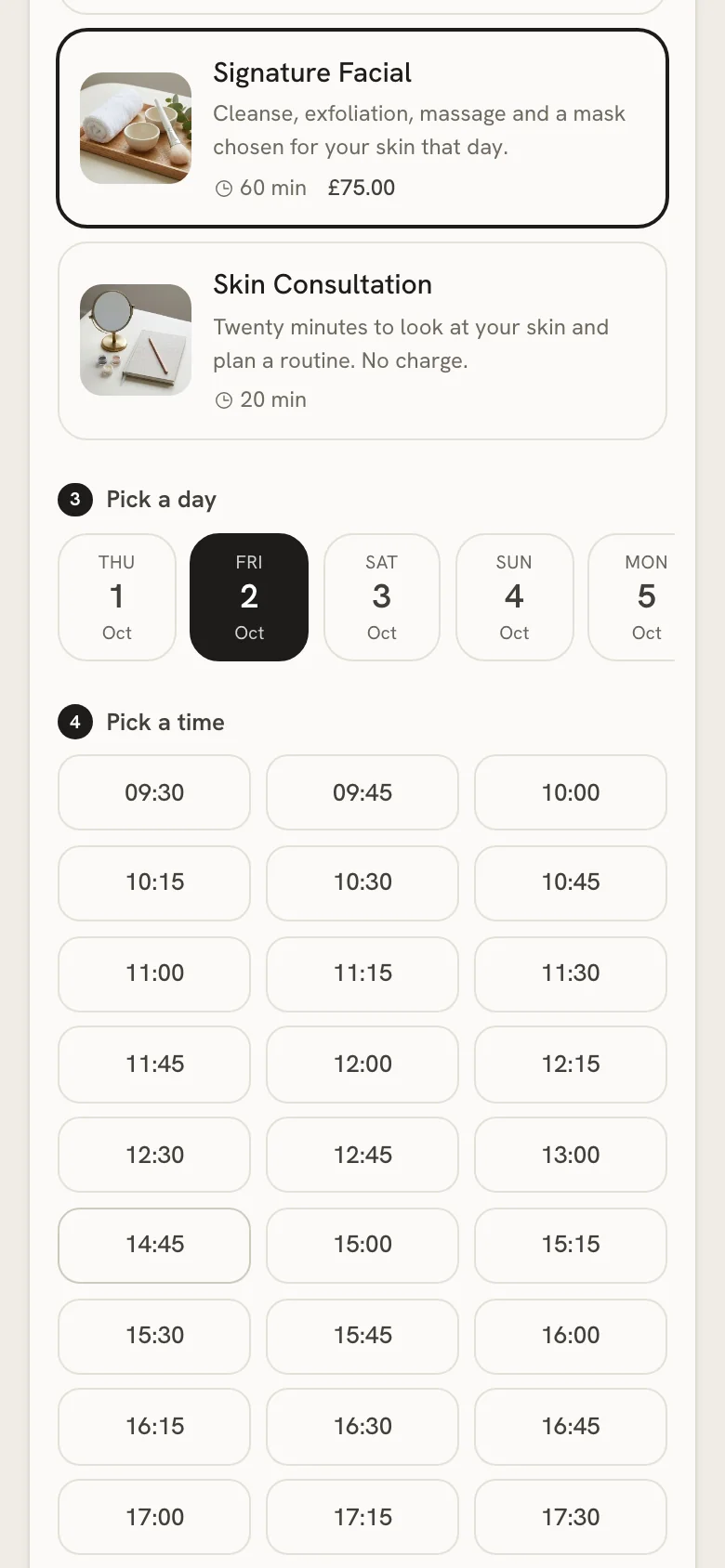
Your booking link
Set it up once, share it everywhere
Everything sits on one screen in the back office, and each change saves as you make it. The page checks the shop’s opening hours, its rooms and the diary before it offers a time.
What you do
Switch on Accept online bookings and tick the shops that take them. With more than one, customers choose a shop first.
Set the shortest notice in hours and how many days ahead customers can see.
Say how many treatments can run at the same time: a time stays bookable while a room is free.
Choose how often times are offered, whether prices show, and write a welcome message if you like.
Copy the link and put it in your Instagram bio, a WhatsApp reply or a QR code.
What your customer does
- Opens the link and chooses a treatment, with its photo and description.
- Picks a day, then one of the free times.
- Leaves their name and phone number. No account, no password.
- Adds a gift voucher code if they have one, and confirms.
- With an email, gets the details and a link to cancel.
The diary
Every booking in one day, gaps drawn in
Bookings made online and bookings taken on the phone land in the same diary, so nobody books one room twice.
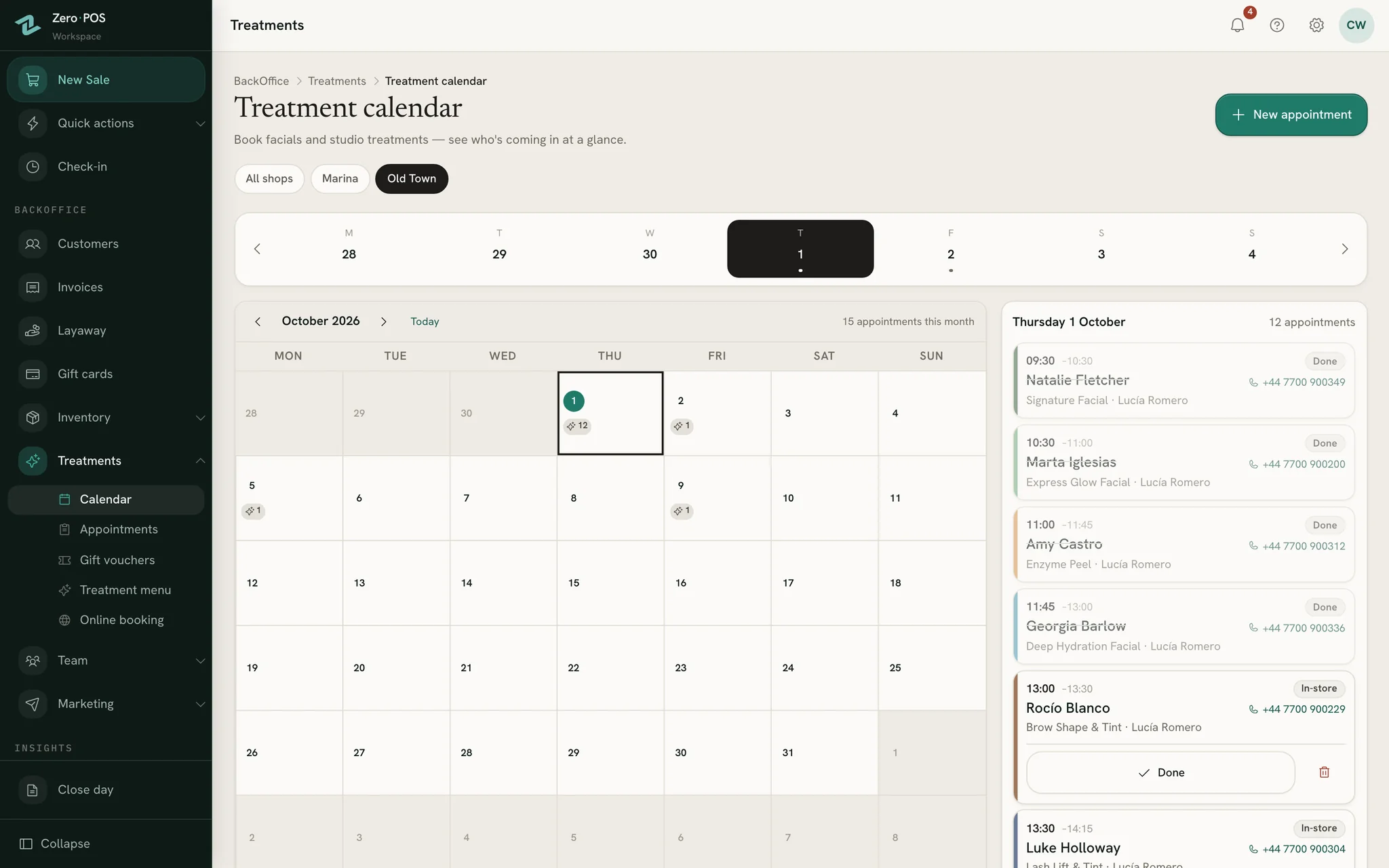
Book while they’re on the phone
Free gaps are drawn inside the day. Tap one and the booking form opens at that time, with the treatment’s length deciding how much of the day it takes.
Online or in shop, at a glance
Each appointment carries its treatment’s colour and says whether the customer booked online or the shop booked them.
Told the moment it lands
A new online booking sends the shop an alert. You choose who receives it, or switch it off.
One set of opening hours
Set each shop’s hours once. The diary, the booking page and the rota all read the same ones, so they never disagree.
At the counter
Booked online, paid at the till
Nothing is charged when someone books. They pay when they come, on the same ticket as anything they pick up from the shelf.
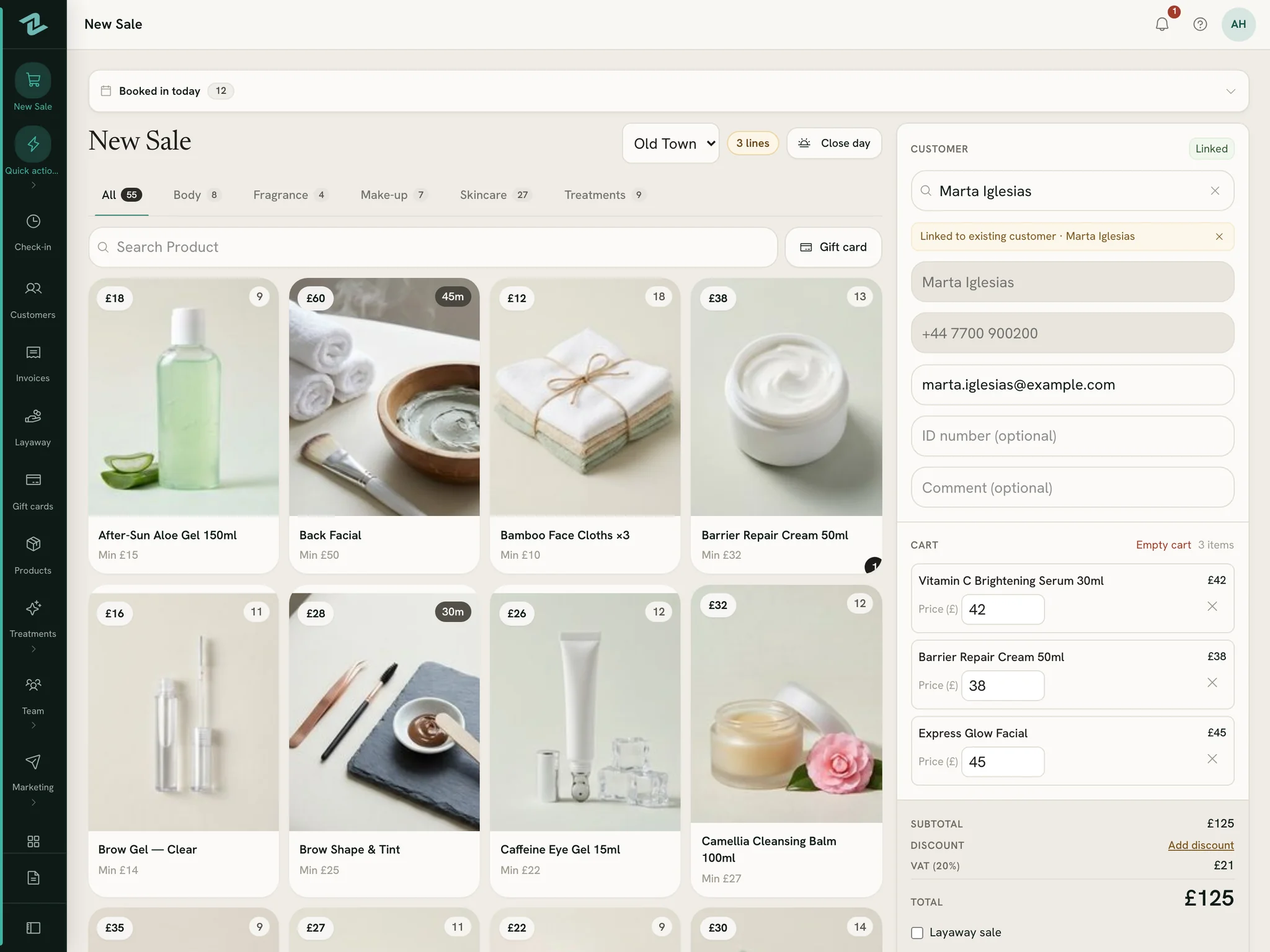
Booked in today
A strip above the products lists today’s appointments at your shop: time, customer, treatment and length. Folded, it names the next one.
The facial and the serum, one ticket
Treatments have their own tab on New Sale. Add the products they buy, take the payment, and the seller earns commission on both.
Vouchers held, never lost
A voucher code typed on the booking page is held for that appointment. Cancel the booking and the voucher is free to use another day.
Questions
Asked before signing up
Do customers pay when they book online?
Can customers cancel or change their own booking?
Why would my booking page show no times?
Can a treatment be booked without being sold at the till?
What happens to a link we have already printed?
More of Zero POS
What works alongside it
Gift cards & vouchers
Gift cards sold at the till and spent bit by bit; treatment vouchers given as gifts.
Rota & commission
Availability on phones, a rota that explains itself, time off and daily commission.
Free tools for the same job
Share your booking link this week
Start a free workspace, add your treatments and opening hours, and the booking page is ready to share. Nothing is charged during early access.
Free during early access · no card needed
Already use Zero POS? Sign in