Rota & commission
Staff rota and commission for salons and beauty shops
Your team says on their phones which days suit them. You build the week from that, or ask for a draft that explains itself, and publish it to everyone at once. Hours, holidays and commission are counted from the same records.
Free during early access · no card neededUpdated
The rota
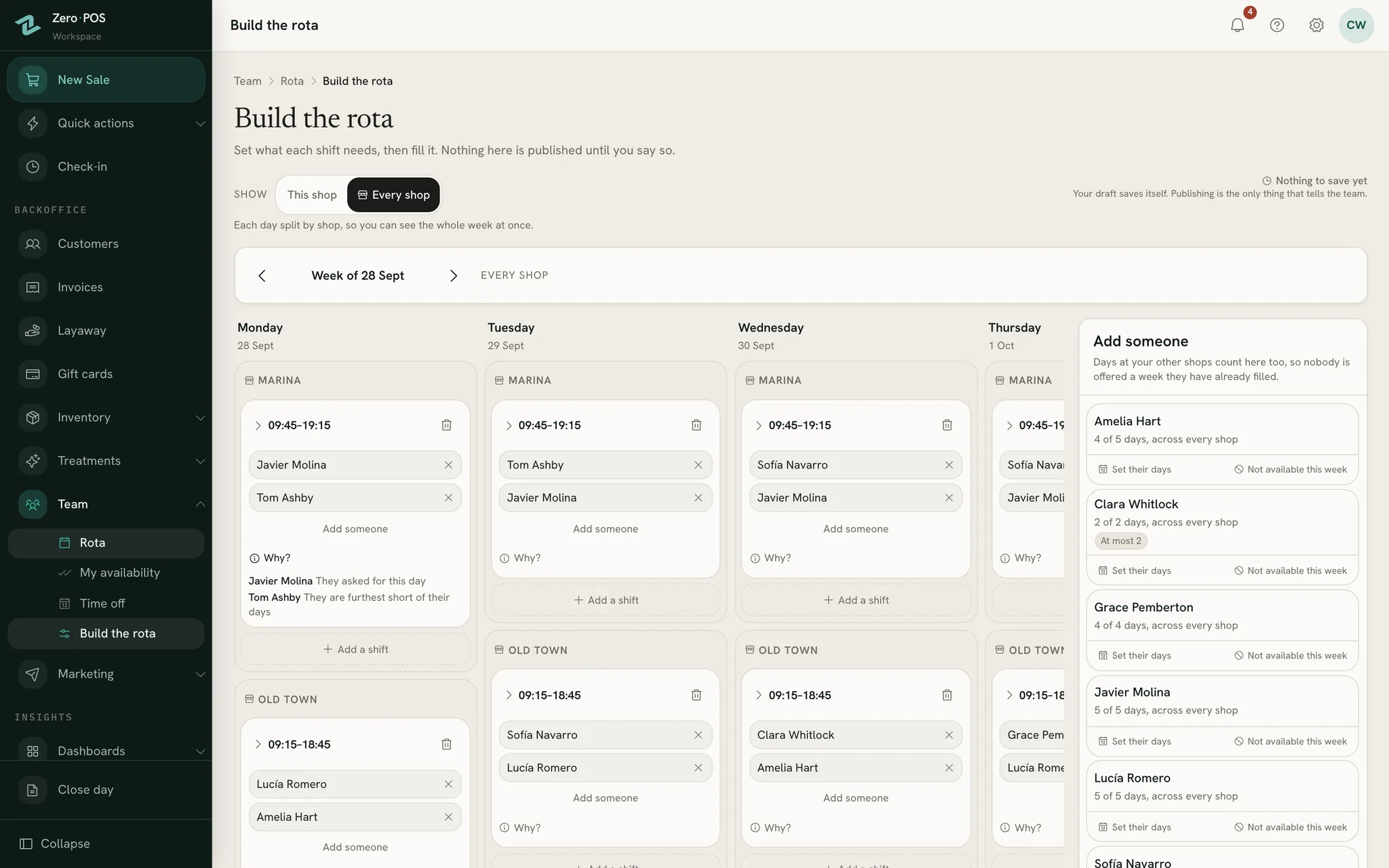
Who’s working Saturday, and why
The rules are written down and applied in order, so a draft rota is a starting point you can read, not a mystery to undo.
Building the week
Staff mark each day on their phone — happy to work, prefer off or can’t work — before the window you set closes.
Fill the week from a saved pattern, from last week or from the shop’s opening hours, and say how many people each shift needs.
Propose a draft. Tap Why? on any shift to see why each person is on it.
Read what is worth a look — a shift short of people, someone on a day they asked off — and change anything.
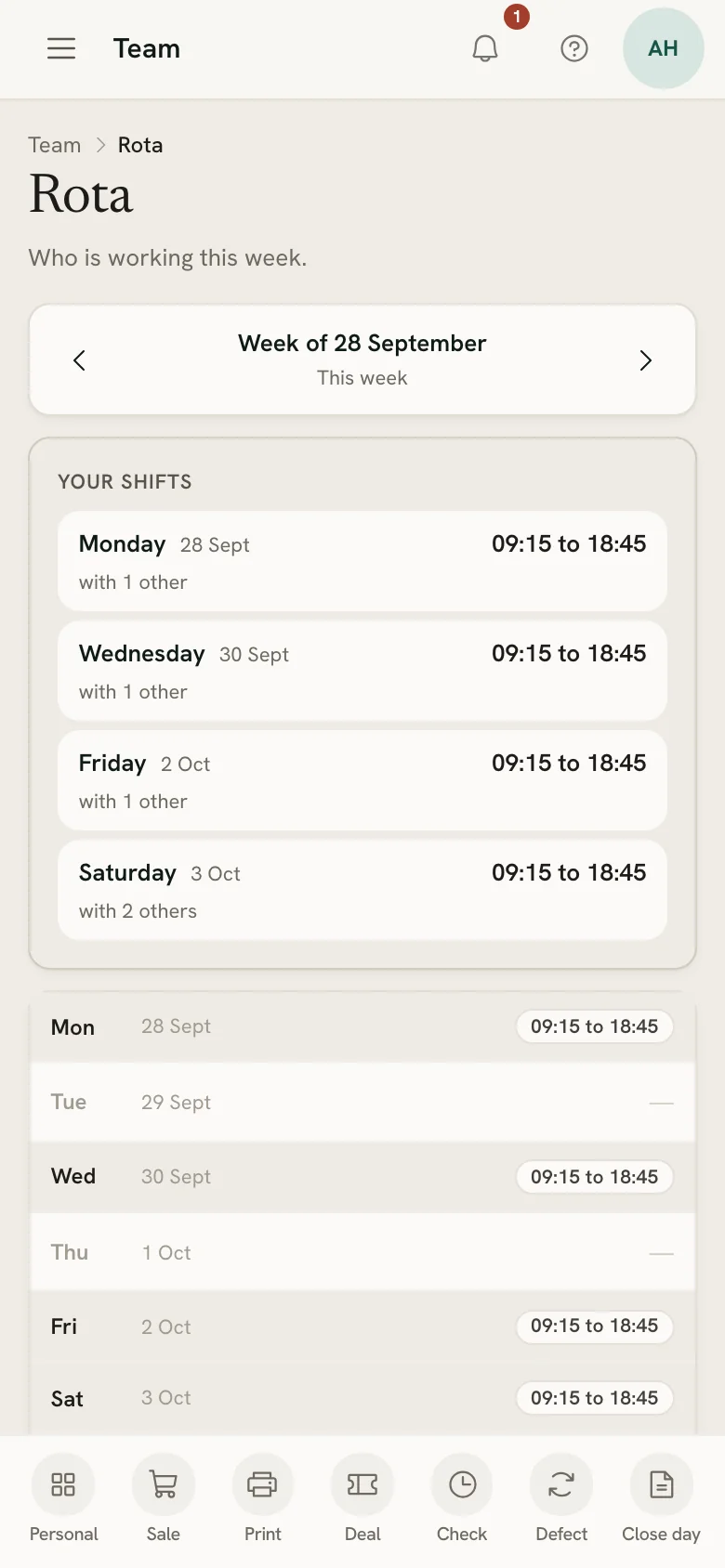
Publish the week: everyone with a shift is told. A later change tells only the people whose shifts moved.
How the draft chooses
- Never someone on time off, someone who can’t work, or someone already at another shop.
- First the people who asked for the day, then anyone short of their guaranteed days.
- Then whoever is furthest short of the days they usually work.
- Every shop on one calendar, and nobody booked in two places at once.
Time off and check-in
Holidays counted, hours clocked
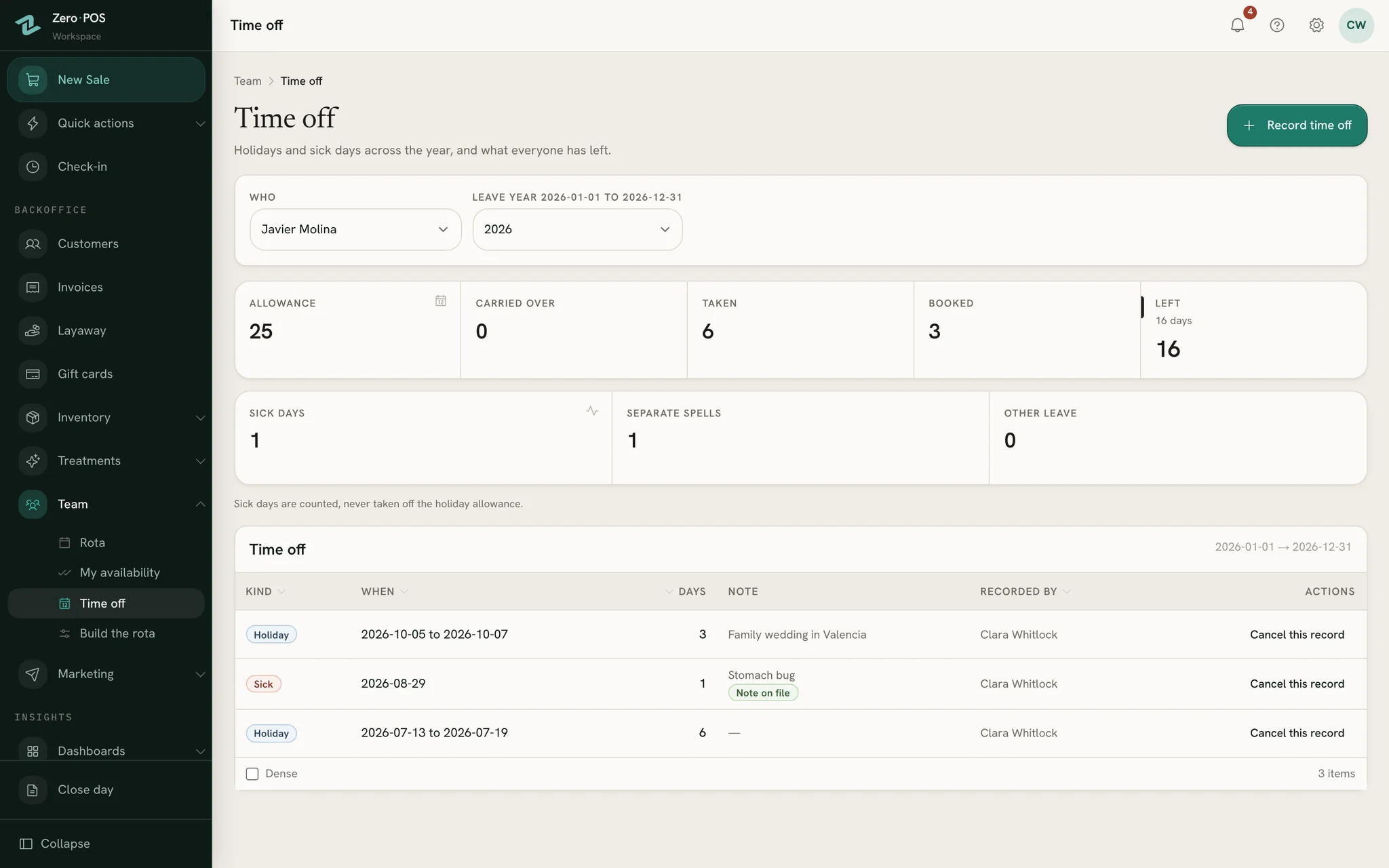
Holidays and sick days are a record, written down by whoever runs the team, and the hours people work come from their own phones.
Allowances your way
Count working days or calendar days. Days the shop is shut cost nobody a day, and unused days are lost, carried over to a limit, or carried over and then expire.
Sick days kept apart
Sickness is counted on its own, never off the holiday allowance. Only the fact that a sick note was given is recorded, never the paper.
Clocking in on a phone
Staff check in at the shop they are in. Breaks are timed against the paid minutes you allow, and a shift nobody clocked out of closes itself and is flagged.
The rota knows who’s away
A draft never puts anyone on a day they have booked off, and each person’s year recounts the moment a day is recorded.
Commission and pay
Commission worked out, day by day
Give each person an hourly rate and, if they earn commission, daily tiers. Zero POS does the sums. You pay people and record what you paid yourself.
Daily tiers
Each day’s sales, less refunds, pick one tier, and its rate applies to the whole day. With 25% up to 400 and 27% above, a day at 800 earns 27% of 800.
The higher of the two
At the end of the month, the commission is set against the hourly rate times the hours worked. Each person is paid whichever is higher, never both.
Fair to every sale
Commission is counted without VAT. A shared sale pays each seller their share, a gift card earns when it’s sold, a layaway on each instalment, and a refund takes it back that day.
Targets and each person’s page
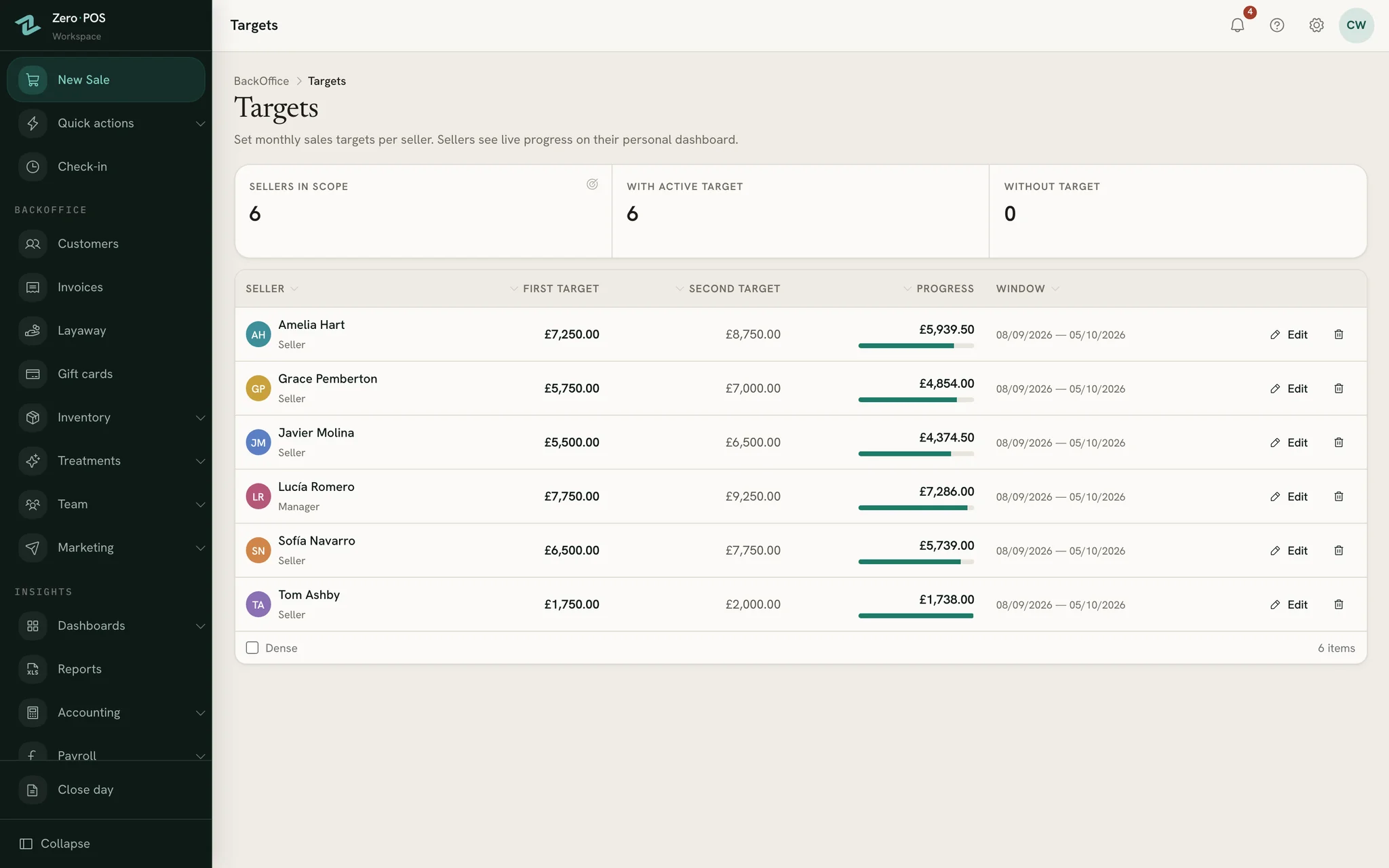
Set a monthly target, with a stretch one if you like. Each seller follows their progress on their own dashboard, and their salary page, day by day.
A payroll run for your accountant
Save the month as a frozen copy that later refunds don’t move. It pays nobody and posts nothing: you log the wages you paid as an expense.
Step by step, in the help centre
Questions
Asked before signing up
Does Zero POS pay my staff?
Can staff see their shifts on their phones?
Is commission worked out with or without VAT?
Do staff request time off and wait for approval?
Who can build and publish the rota?
More of Zero POS
What works alongside it
Online booking
A booking link of your own, a diary with the gaps drawn in, and the till beside it.
Cash up
Count each payment method against the till, see what’s over or short, print the slip.
Free tools for the same job
Publish next week’s rota from Zero POS
Start a free workspace, add your team and let them fill in their week on their phones. Nothing is charged during early access.
Free during early access · no card needed
Already use Zero POS? Sign in