Cash up
End-of-day cash up for shops and salons
At closing time, count the drawer and the card terminal’s total against what the till expects, method by method. Zero POS shows what is over or short, keeps the count, prints the slip and clocks out anyone still clocked in.
Free during early access · no card neededUpdated
Closing the day
Count the day against what the till expects
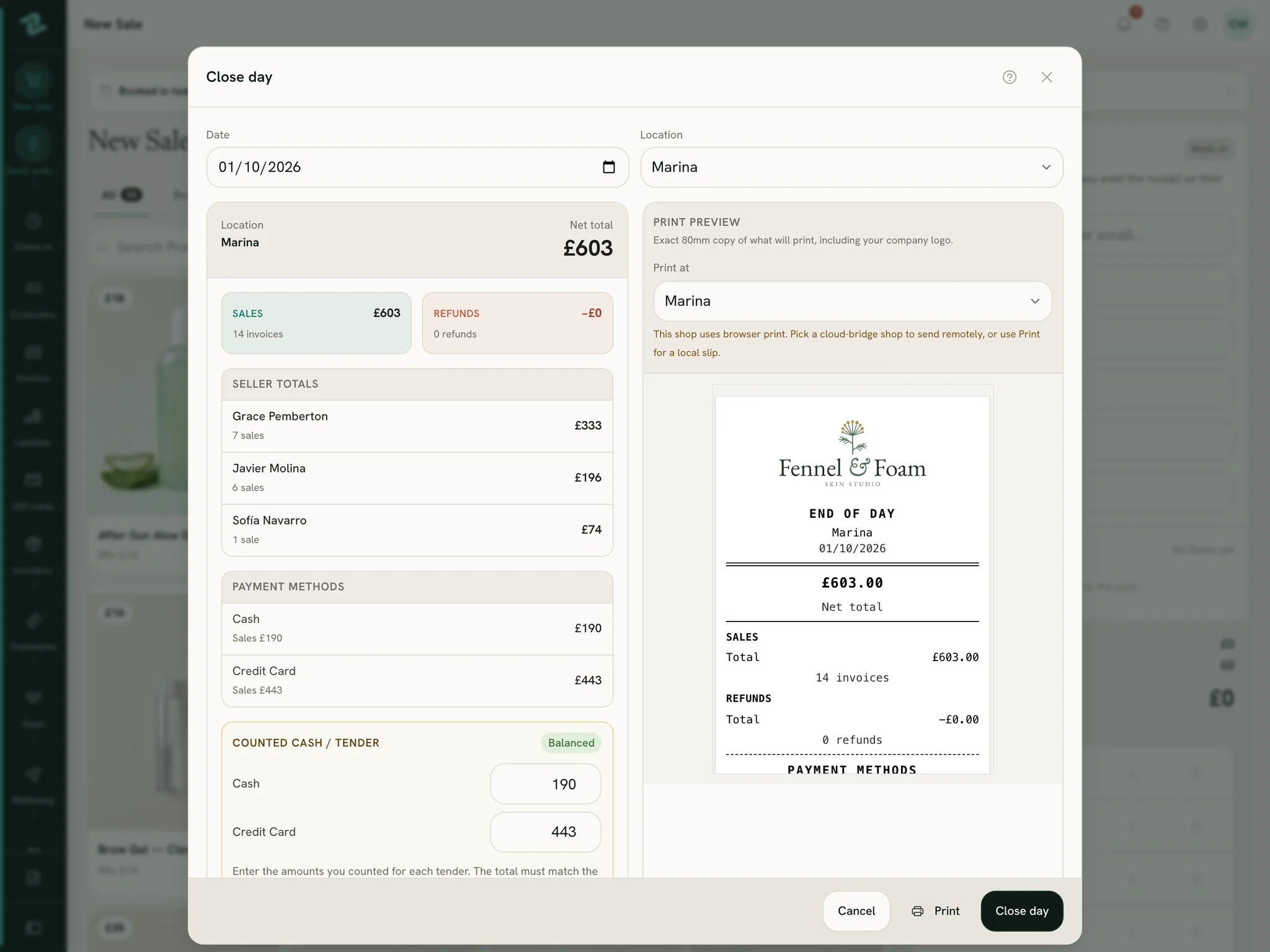
Close day sits at the bottom of the sidebar. It shows one shop’s day and asks for a real count, method by method, before it lets the day close.
Cashing up
Read the day’s report: sales, refunds, each seller’s total, and what the till expects for every payment method.
Take the opening float out, count the drawer, and type over each box with what you really counted.
Type the card terminal’s end-of-day total into the card box.
Read the badge: balanced, or exactly how much is over or short. If it’s off, recount, and add a closing note.
When it balances, close the day and print the slip.
What closing does
- Keeps what was expected, what was counted and the difference in the Day closes report.
- Clocks out anyone still clocked in at that shop.
- Sends owners and managers a Day closed notification, unless you switch it off.
Opening the day
Start from a known float, end on a real count
If your shop wants it, the first person in each shop opens the day before the first sale and counts the cash they start with.
The opening float
Counted and noted at the till, with a note if something is worth saying. Owners and managers can be told the float when the day opens.
Kept out of the takings
The close expects only today’s payments, so the float never muddles the count. Count it the same way every morning and the evening starts from a known amount.
Nothing slips through
Until the day is open at a shop, sales and check-ins there wait. Two people opening at once is fine: the first one counts.
Set the way you work
The owner decides whether the day must be opened, shop by shop, and whether the close asks for a count or closes on the expected totals.
After the close
Every sale, already in the books
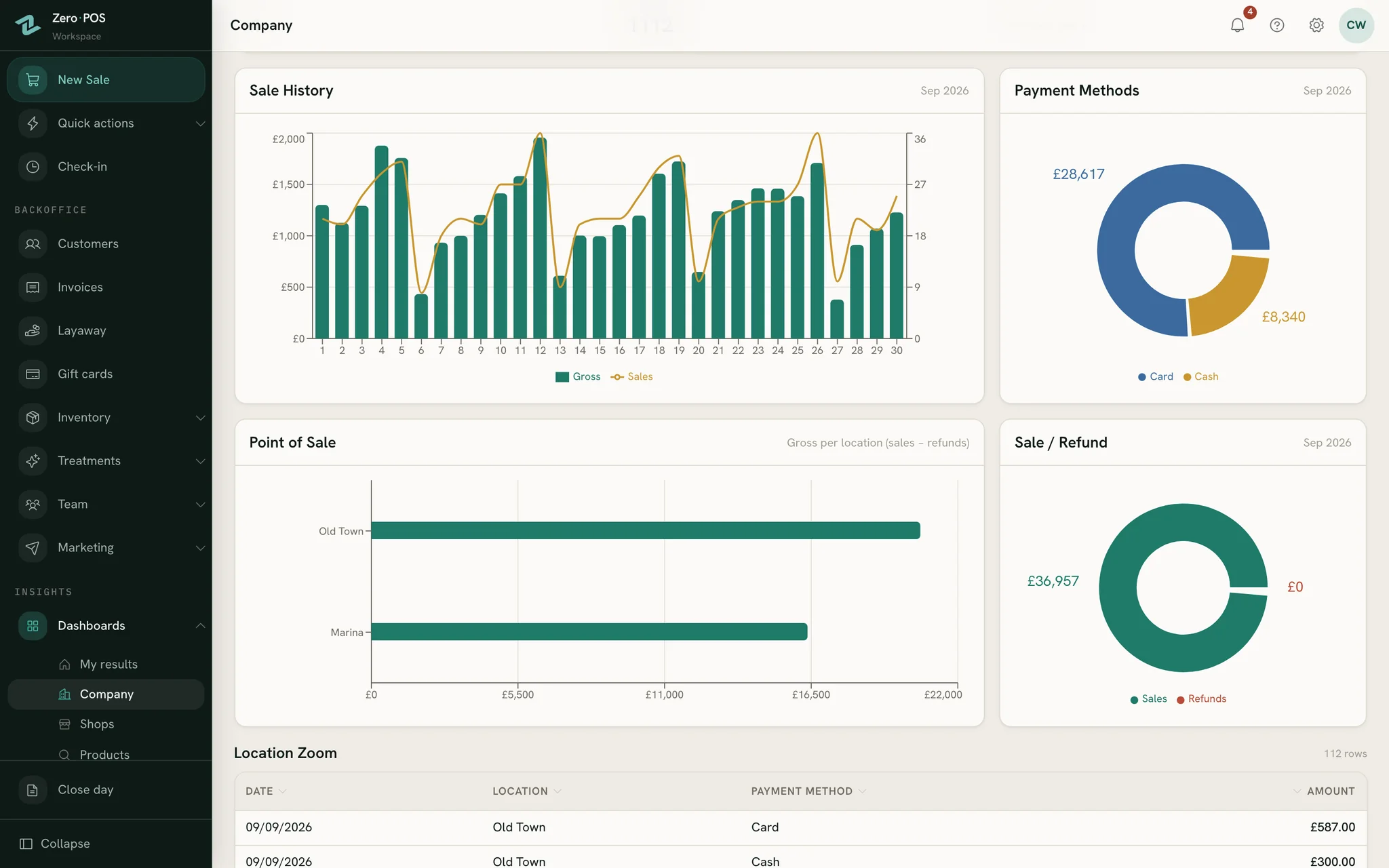
Nobody types the day in twice. Every sale feeds the reports and dashboards the moment it is made, and the close only checks the money against it.
Only money really taken
A layaway counts only the deposit or instalment received that day. A gift card being spent shows as its own payment method.
Each shop, its own day
Every shop opens and closes its own day, with its own count, so one shop’s shortfall never hides in another’s takings.
Card fees, accounted for
In expert accounting, each payment method lands in its own account and records what the card company keeps, so the balance matches what reached you.
Cash to the bank
Taking the day’s cash to the bank is a transfer between your accounts, not an expense: it moves money without spending it.
Step by step, in the help centre
Questions
Asked before signing up
Do I count the opening float?
The cash is really short. What should we do?
Do I need a particular card terminal?
Who can close the day?
Can we close without counting?
More of Zero POS
What works alongside it
Rota & commission
Availability on phones, a rota that explains itself, time off and daily commission.
Stock control
Every shop’s stock, transfers, blind counts, testers, reorders and deliveries.
Free tools for the same job
Close tonight on a real count
Start a free workspace, make a test sale and open the close: the report is already waiting. Nothing is charged during early access.
Free during early access · no card needed
Already use Zero POS? Sign in